Mike Boord

Editor & AI Video Artist

17 years working in post-production in the television and film industry. Building the next decade of motion picture craft with AI.

IATSE Local 700 Editors Guild · DGA

80+ Hours of LoRA training RunPod & local GPU
14 LoRA checkpoints trained Character + brand + style
170+ Captioned dataset entries Images, video clips + voice AI training
50+ Custom ComfyUI workflows T2I, I2I, T2V, I2V, V2V, ref-to-video, inpaint, outpaint, infinite-loop video gen, SAM 3.1 segmentation

AI Video Work

Music videos, live-band stage backdrops, commercials, social media spots, VFX, brand & character LoRAs, and custom tooling — built with ComfyUI.

Short Film · Editor's Cut

Counterculture Project — Sizzle

An 8-minute documentary short tracing the shape of American counterculture — civil rights marches, the festival era, Easy Rider, Pride, BLM. Editor's-cut rough assembly, 1080p, 24-bit audio. The sizzle pulls the strongest 36 seconds; click the controls to hear it. Full AI image pipeline below ↓

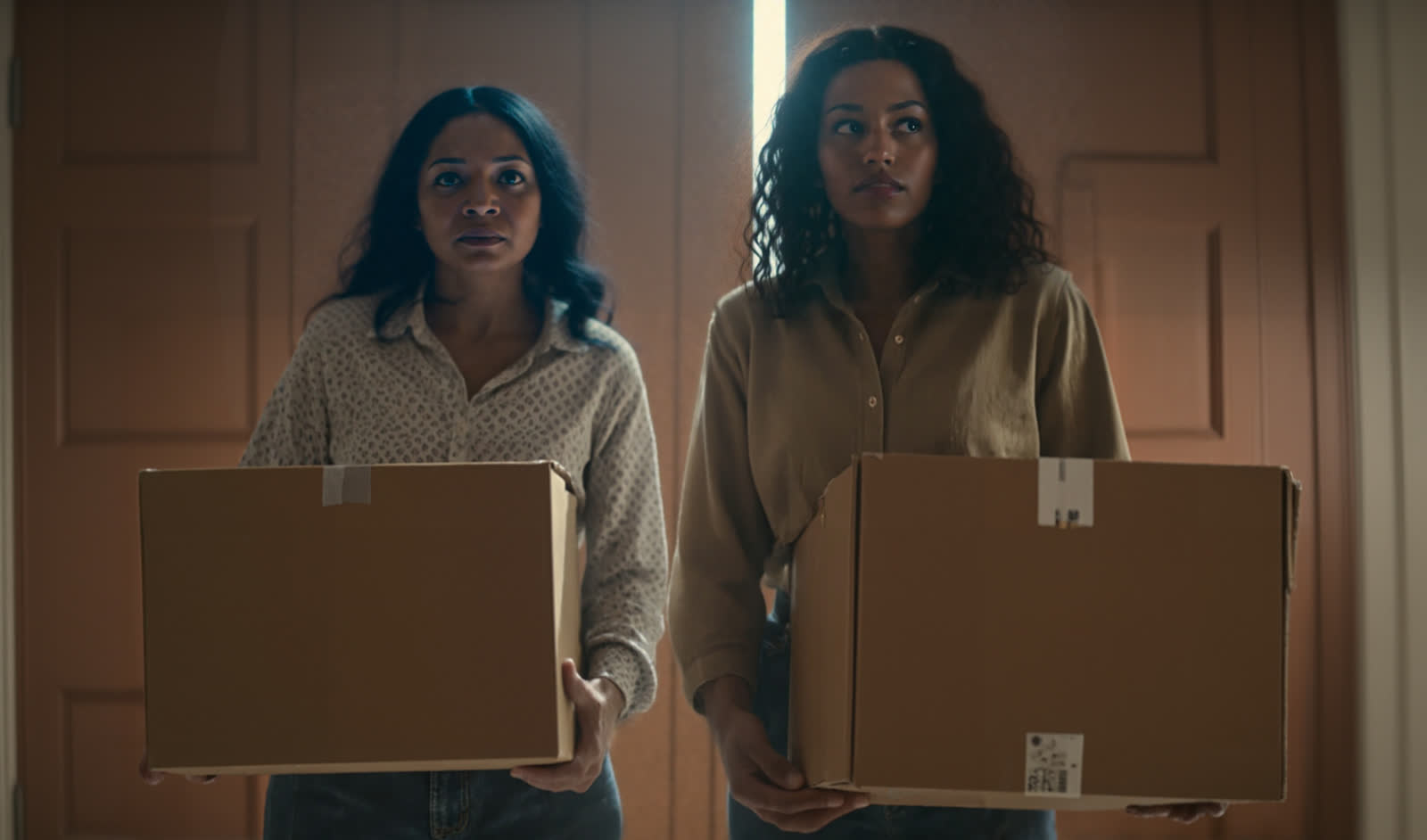
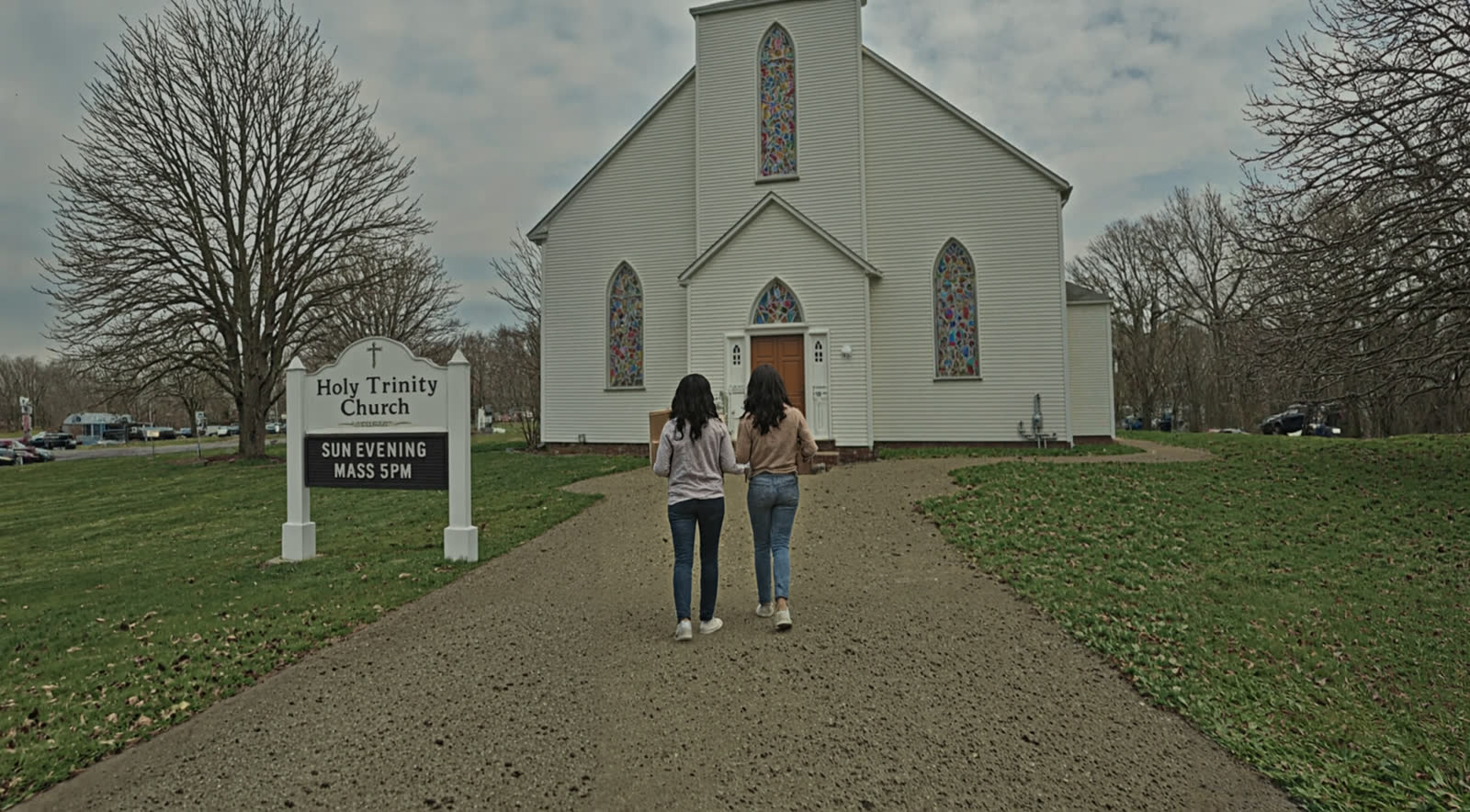
SAM and MOM walking toward Holy Trinity Church, shot from behind
Case Study · Television

Something Here — Character LoRAs + Voice Clones

Per-actor visual + voice LoRAs for a TV show's principals, used to pre-vis scenes and prototype temp ADR. Full pipeline from dataset to delivered clip. Full case study below ↓

Brand LoRA · Floor-Coating

Garage Force — Marketing Deliveries

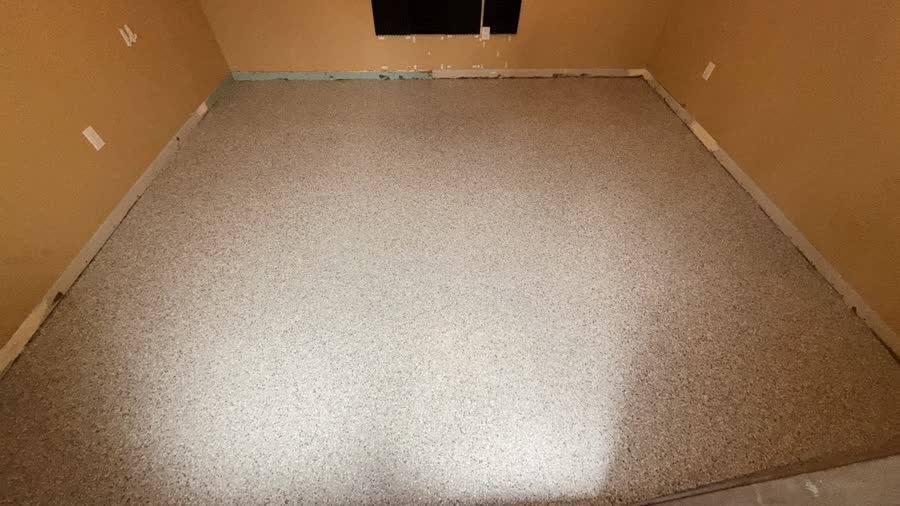
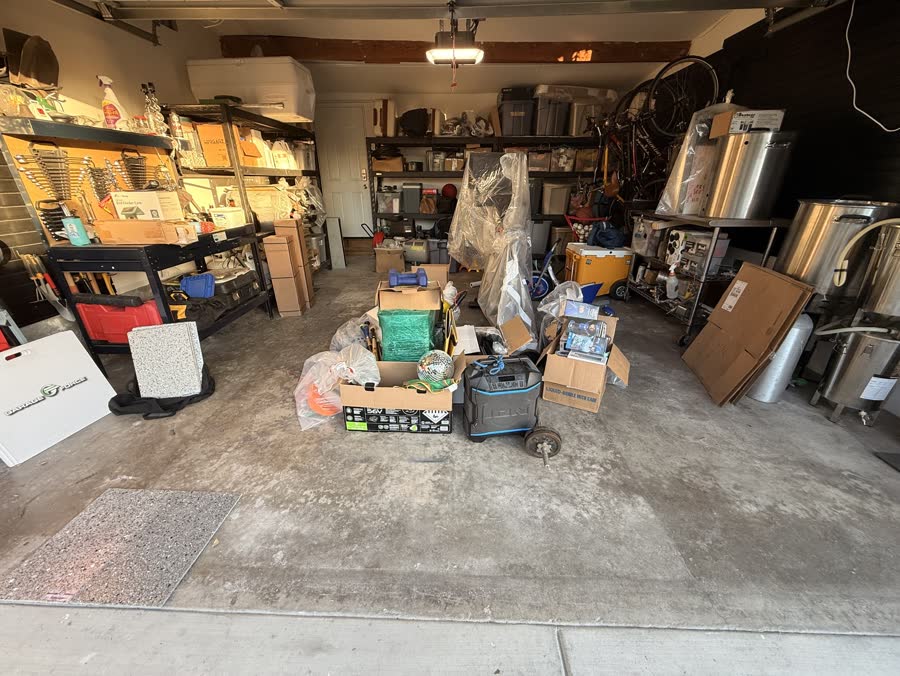
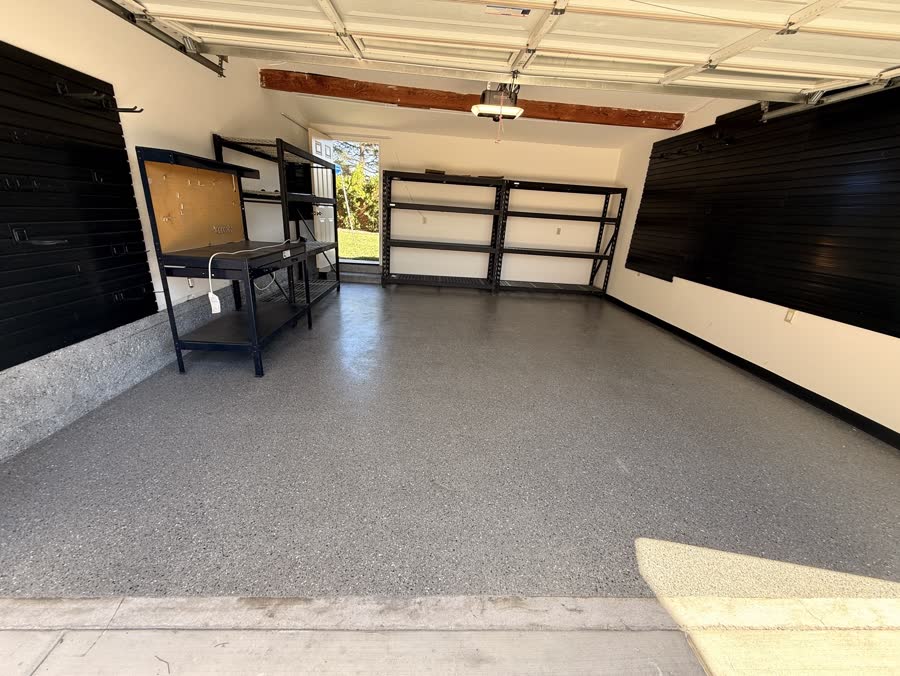
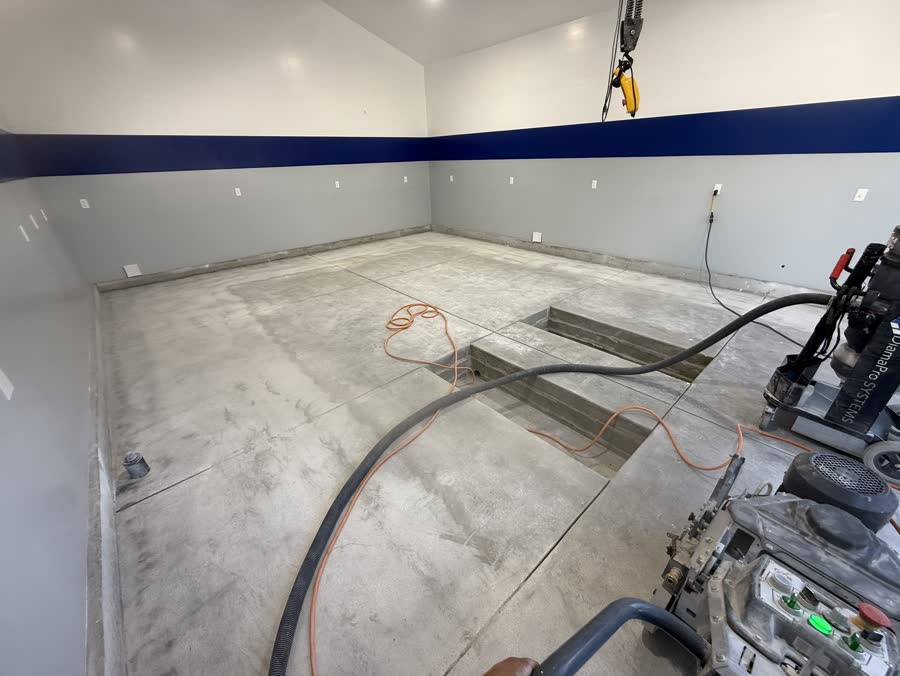
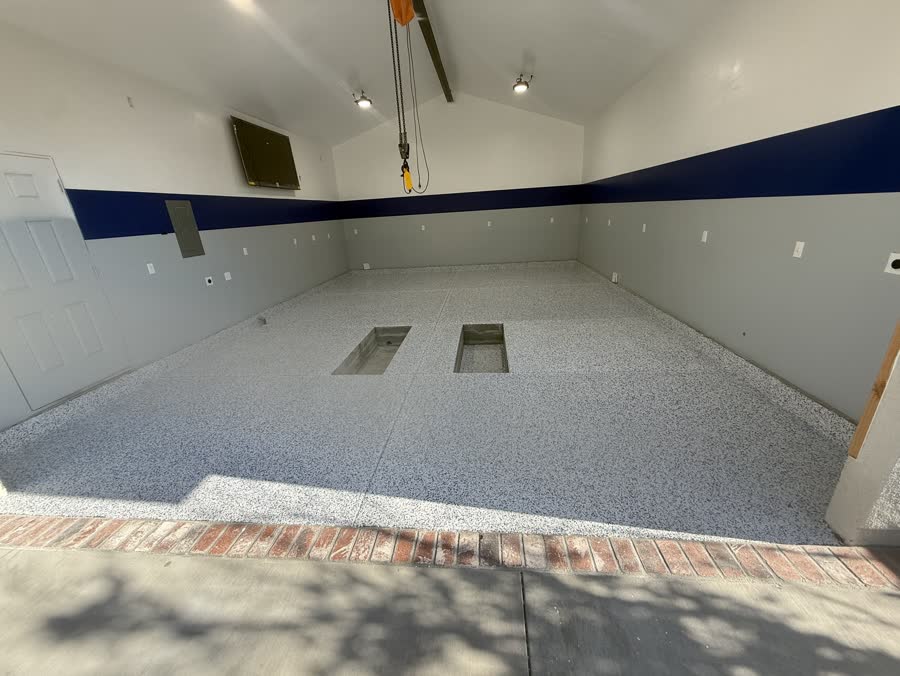
Trained brand LoRA + Qwen3-VL auto-eval pipeline producing weekly before/after floor-coating spots for franchise dealers. May 2026 deliveries + workflow below ↓

Outpaint · Archival Restoration

Singin' in the Rain — 4:3 → Widescreen Outpaint

AI outpainting on the 1952 classic — the Academy 4:3 frame extended into 16:9 while preserving Gene Kelly's choreography and the rainstorm. Wipe comparison + workflow below ↓

Brand Spot · Wan VACE V2V

R.W. Coolidge — "Bay Lito" Leather

iPhone-shot vertical for a leather goods brand re-styled into a polished AI render with refined product detail. Before/after wipe below ↓

Wan VACE · ControlNet V2V

Hot Wheels → Porsche

iPhone plate of a Hot Wheels die-cast on a porch re-rendered as a full-size Porsche. Source motion drives the AI pass via VACE ControlNet. Before/after pair below ↓

LTX 2.3 · V2V Inpaint

LTX 2.3 — Targeted Video Inpaint

Masked region re-generation inside an existing plate using LTX 2.3 IC LoRA + Union ControlNet — everything outside the mask stays untouched. Process pair below ↓

Brand · Wan I2V

Swim Whisperer — Logo Animation

Wan 2.1 I2V long-form logo bumper, stitched to 4K and conformed for broadcast delivery. One of three variants delivered to the client. Models & tools used below ↓

Prim — popstar Prim — playing guitar Prim — talk show Prim — outer space Prim — born Prim — Breaking Bad arc Prim — hero still
Character LoRA · Animated Show

Prim — Title Character LoRA

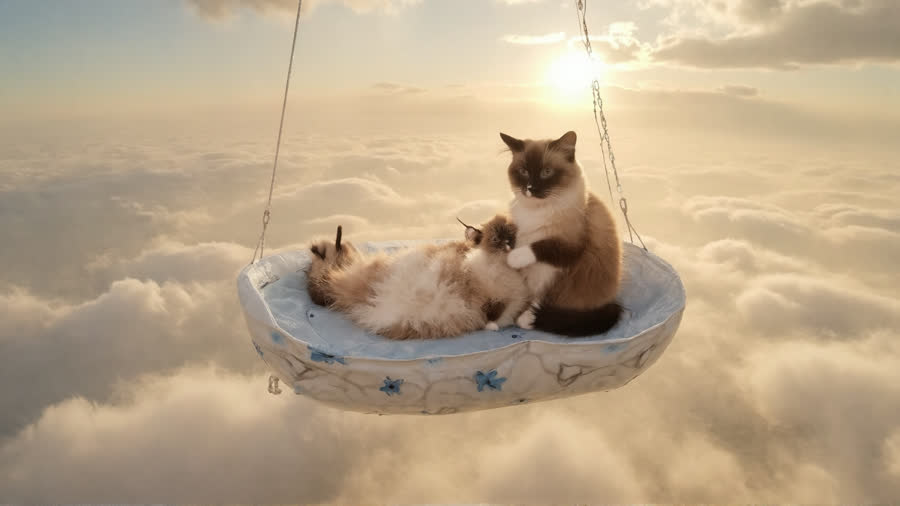
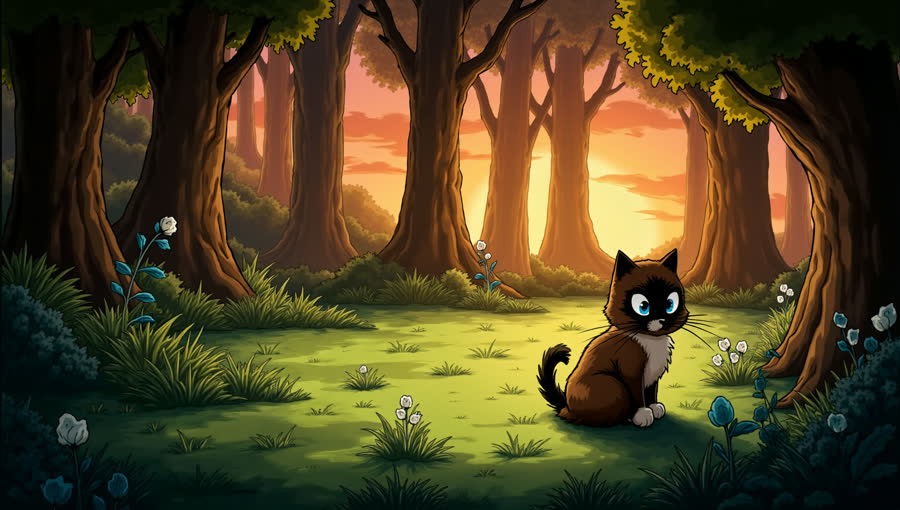
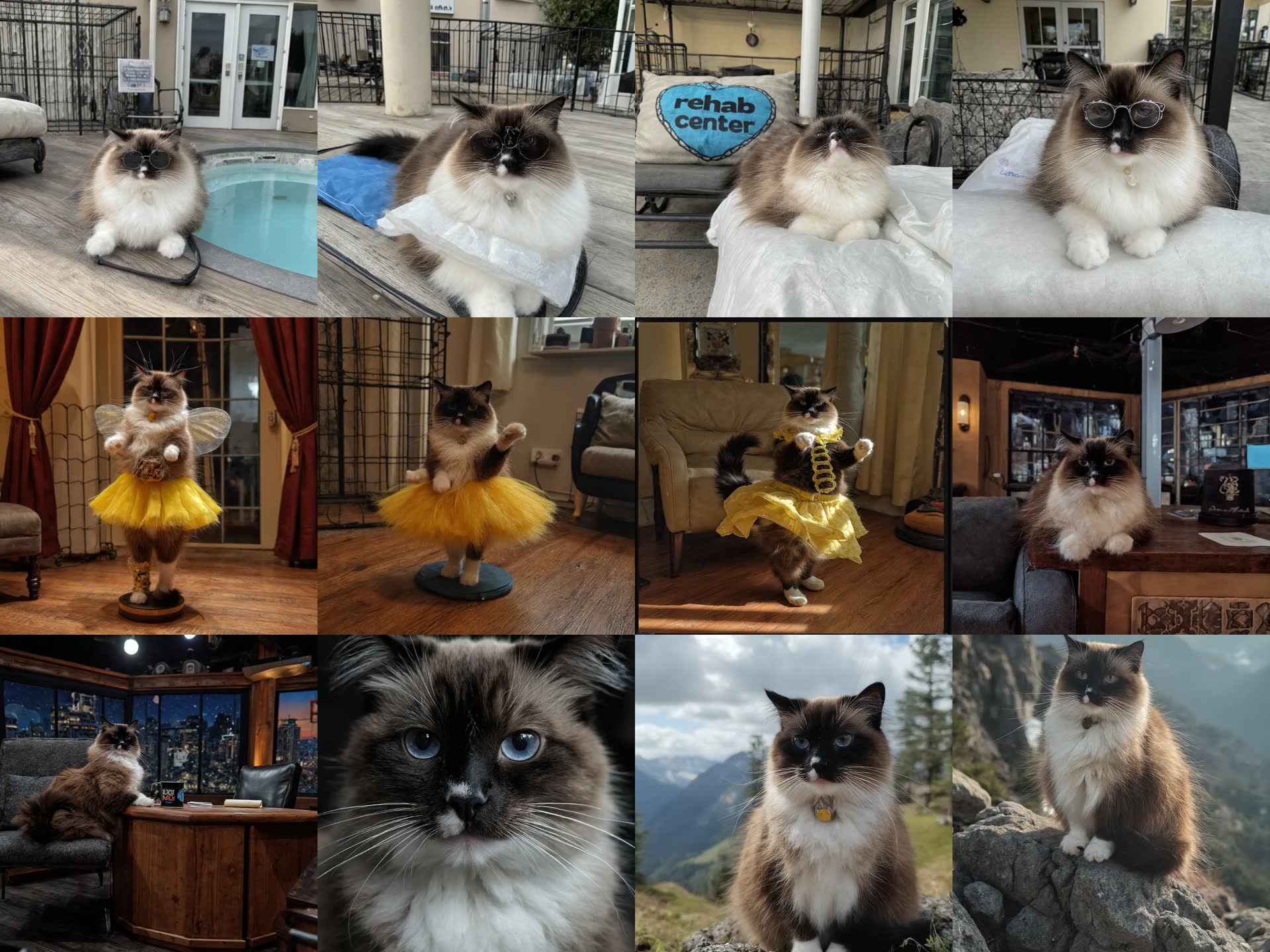
Flux LoRA trained on 12 captioned images of the show's title cat. Trigger Prim drops her into any era, any scene — talk show, Studio 54, etc. 8 themes + animated tests below ↓

Live Stage Backdrop

Doo Dah Men — Grateful Dead Tribute

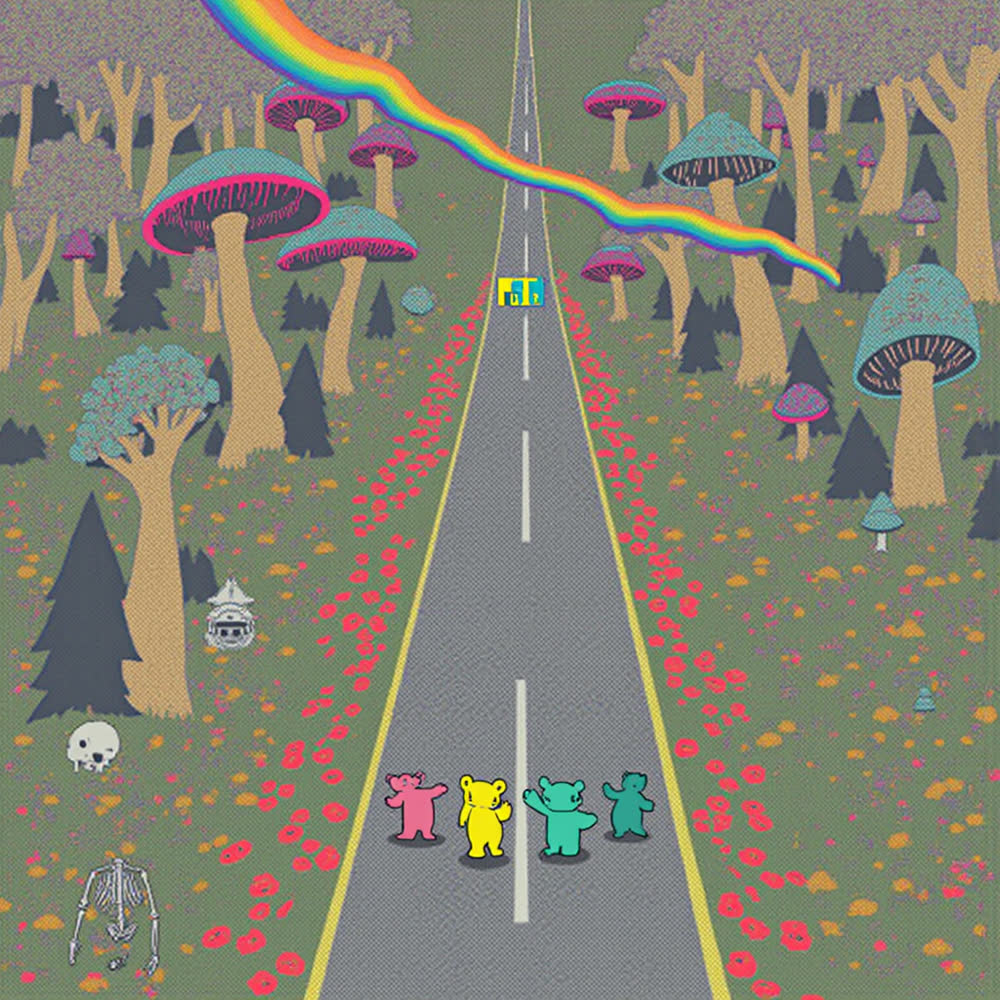
Psychedelic AI-generated stage backdrop for the Doo Dah Men, a Grateful Dead tribute band — projected behind them through a live set. Wan 2.1 VACE V2V layered with my 14-part long-video extension graph. Full piece + workflow below ↓

Album Visualizer · 1m45s AI

Tame Impala — Nangs

Audio-reactive visualizer built with the RyanOnTheInside Flex Features node pack — amplitude, onset, and spectral features drive the visuals in sync. Hover to play with sound. Full piece + workflow below ↓

Counterculture — AI Image Pipeline

The Counterculture short isn't all archival footage. A chunk of it is AI-generated to fill gaps where licensable material didn't exist, or where the budget for period-accurate dressing was off the table. Here's the three-step image pipeline I built for it: base generation in Flux → era-correct restyle with a fine-tune Flux model → 4K/8K upscale with Pixelwave.

V3 Ultimate Flux All-in-One generation workflow
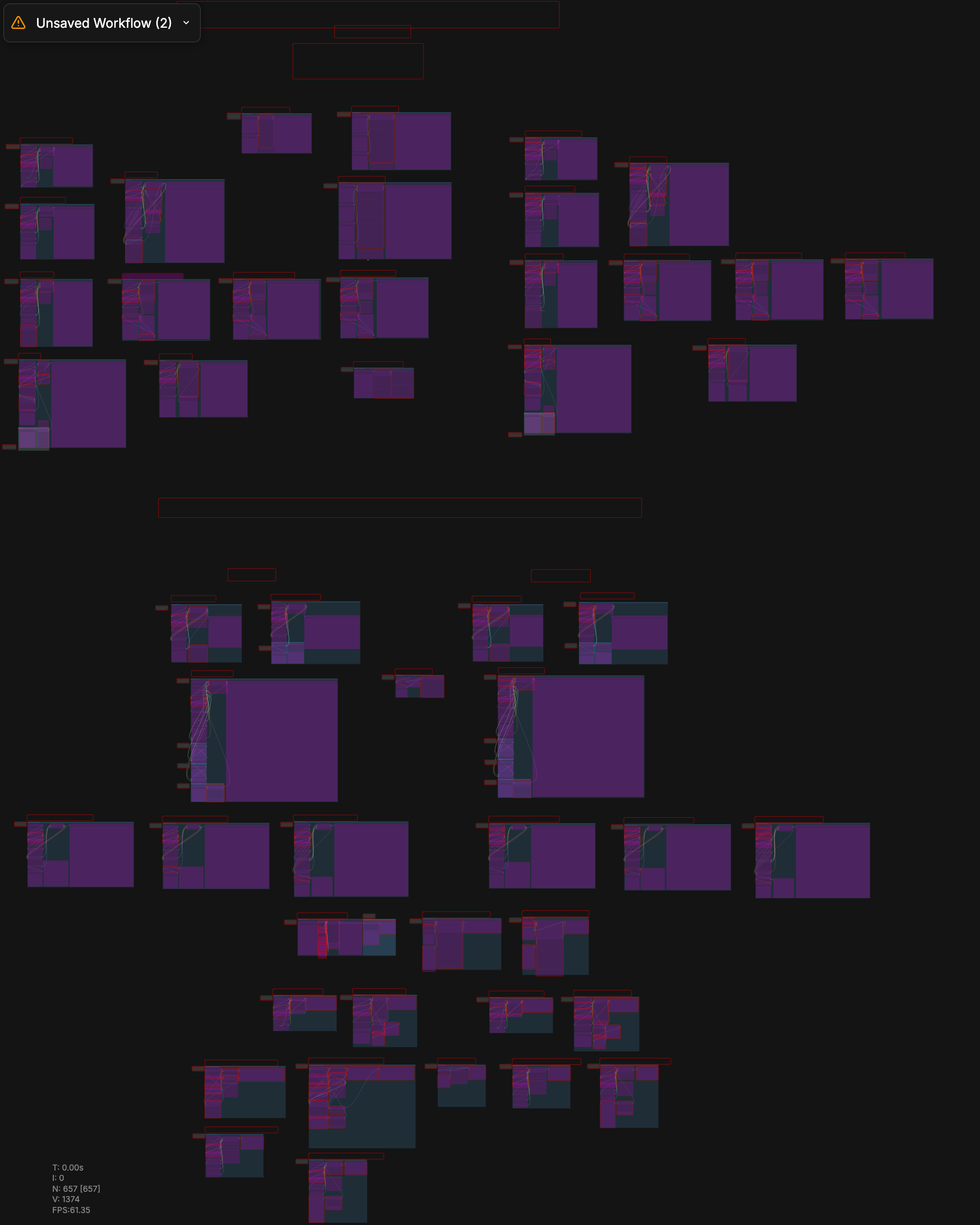
ComfyUI workflow · V3-ULTIMATE_FLUX_ALL-IN-ONE-WORKFLOW.json — my Flux generation rig with text encoding, sampler, VAE decode, and conditional LoRA stack (era LoRAs like 70s_flux, realism LoRAs like FLUX REALISM, Natural Realism) all routed for swappable style.
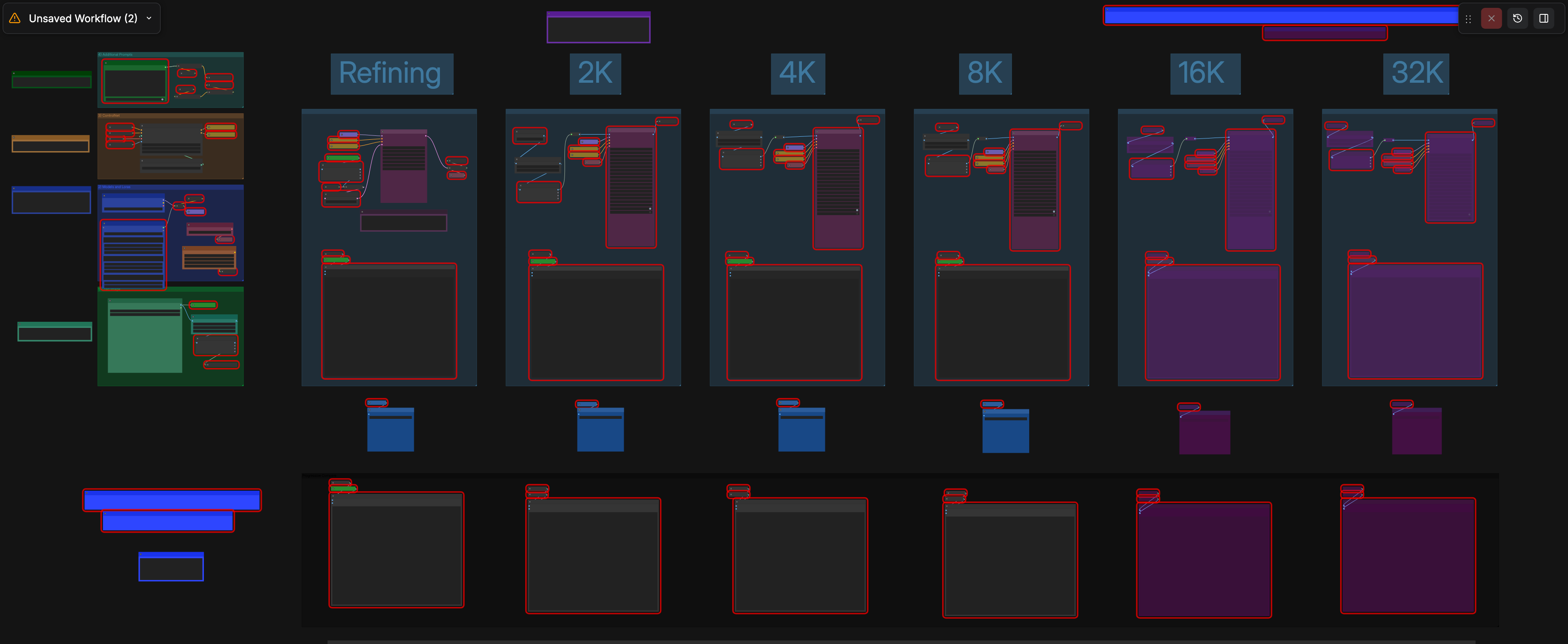
Flux 32K Pixelwave upscaler workflow
ComfyUI workflow by Jerry Davos · Flux_32k_Upscaler.json — uses Pixelwave, a Flux Dev fine-tune tuned for photoreal detail, as the upscaling pass. Output goes from 1024px to 4K/8K with believable archival-grain detail instead of the over-smoothed plastic look that stock upscalers leave behind. The FU_2_* file prefix in my outputs — "Flux Upscaled" — is what comes out of this stage.

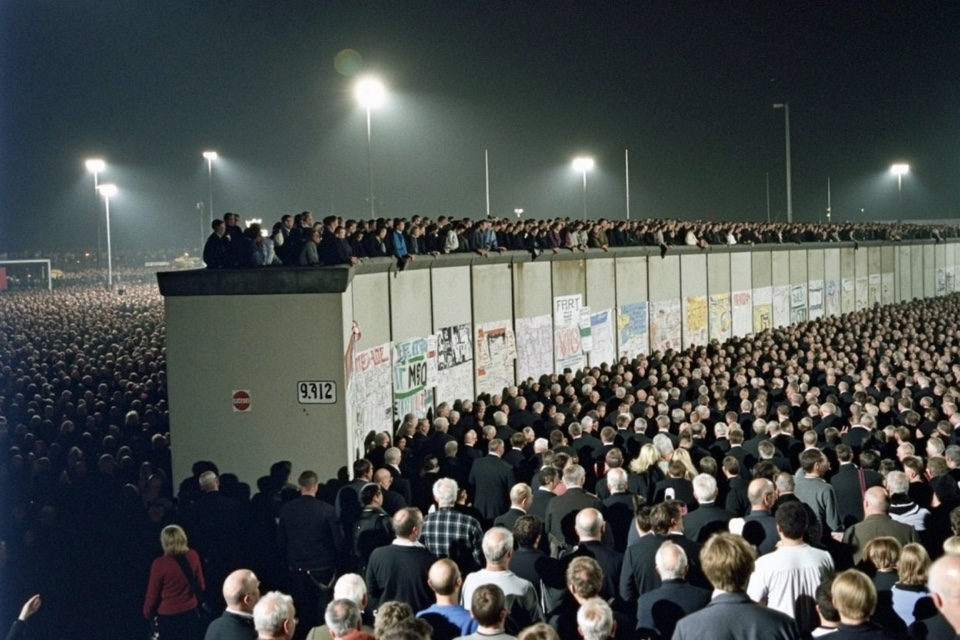
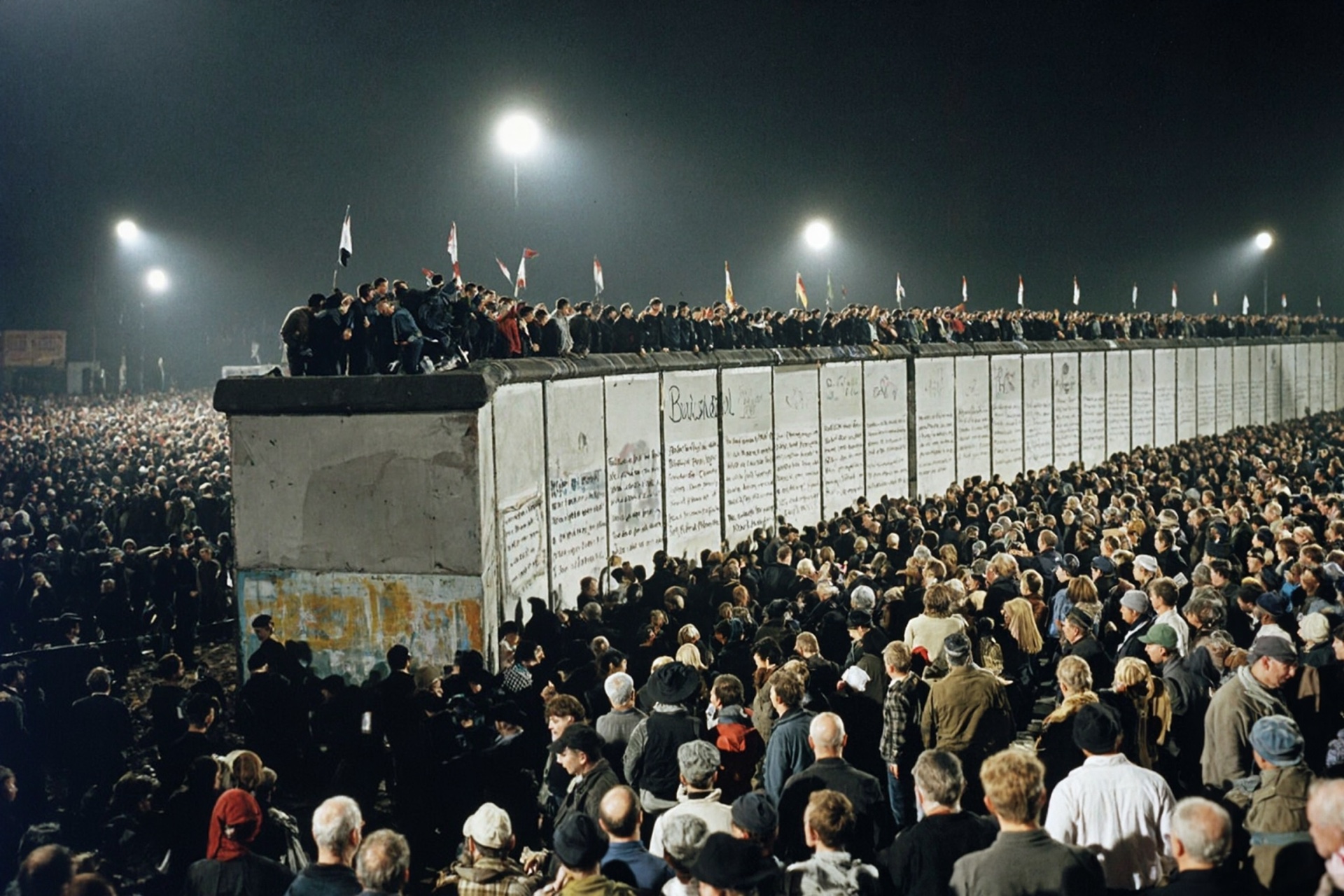
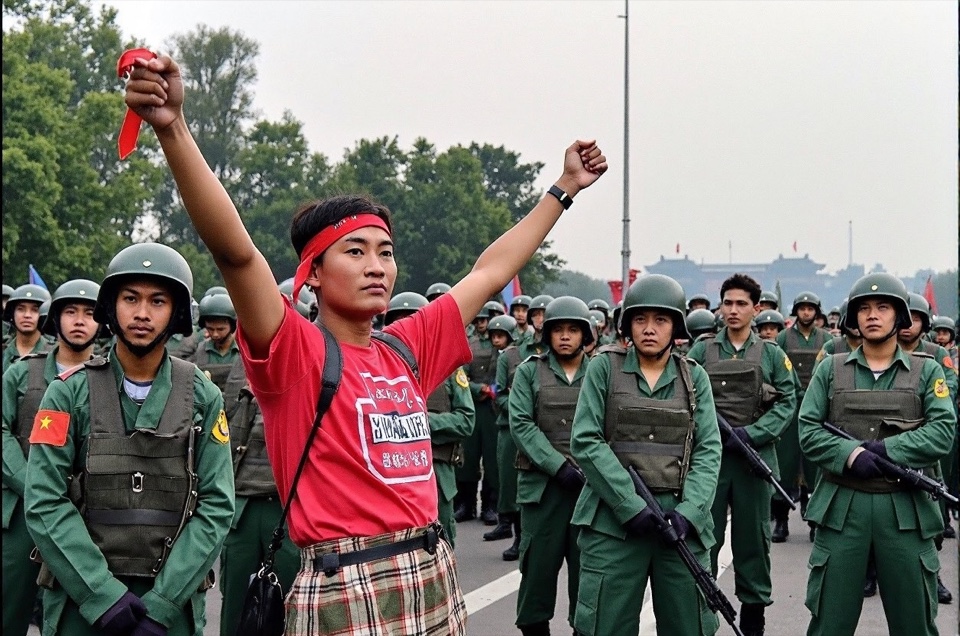
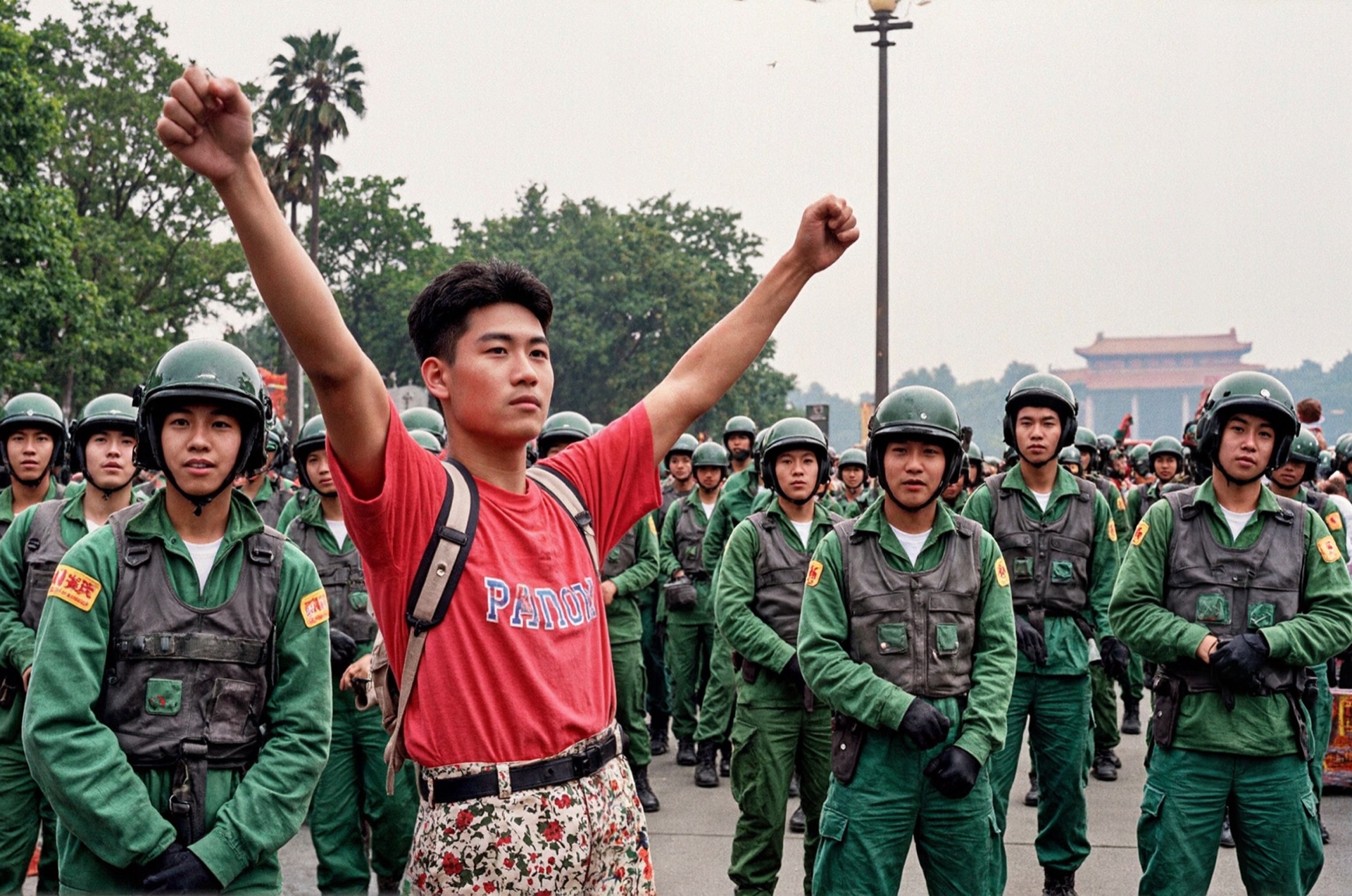
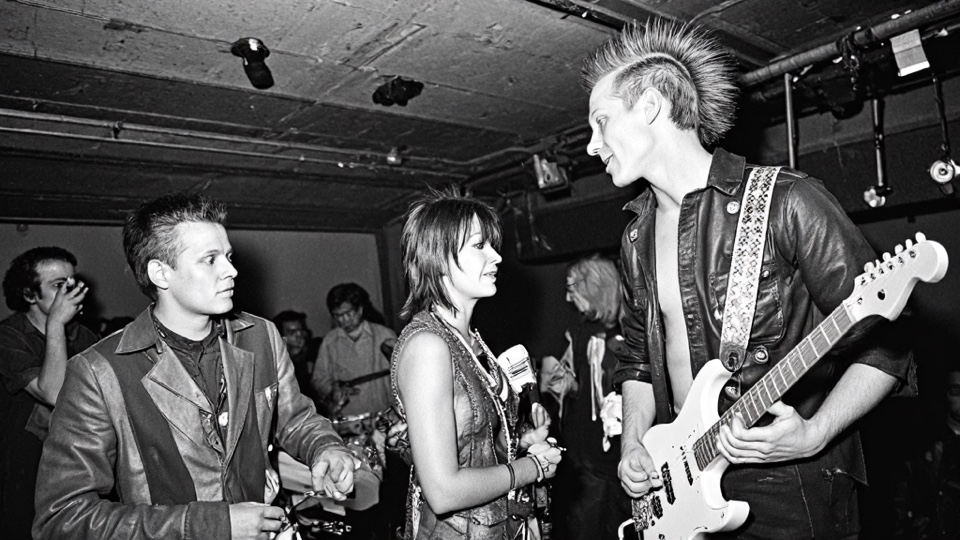
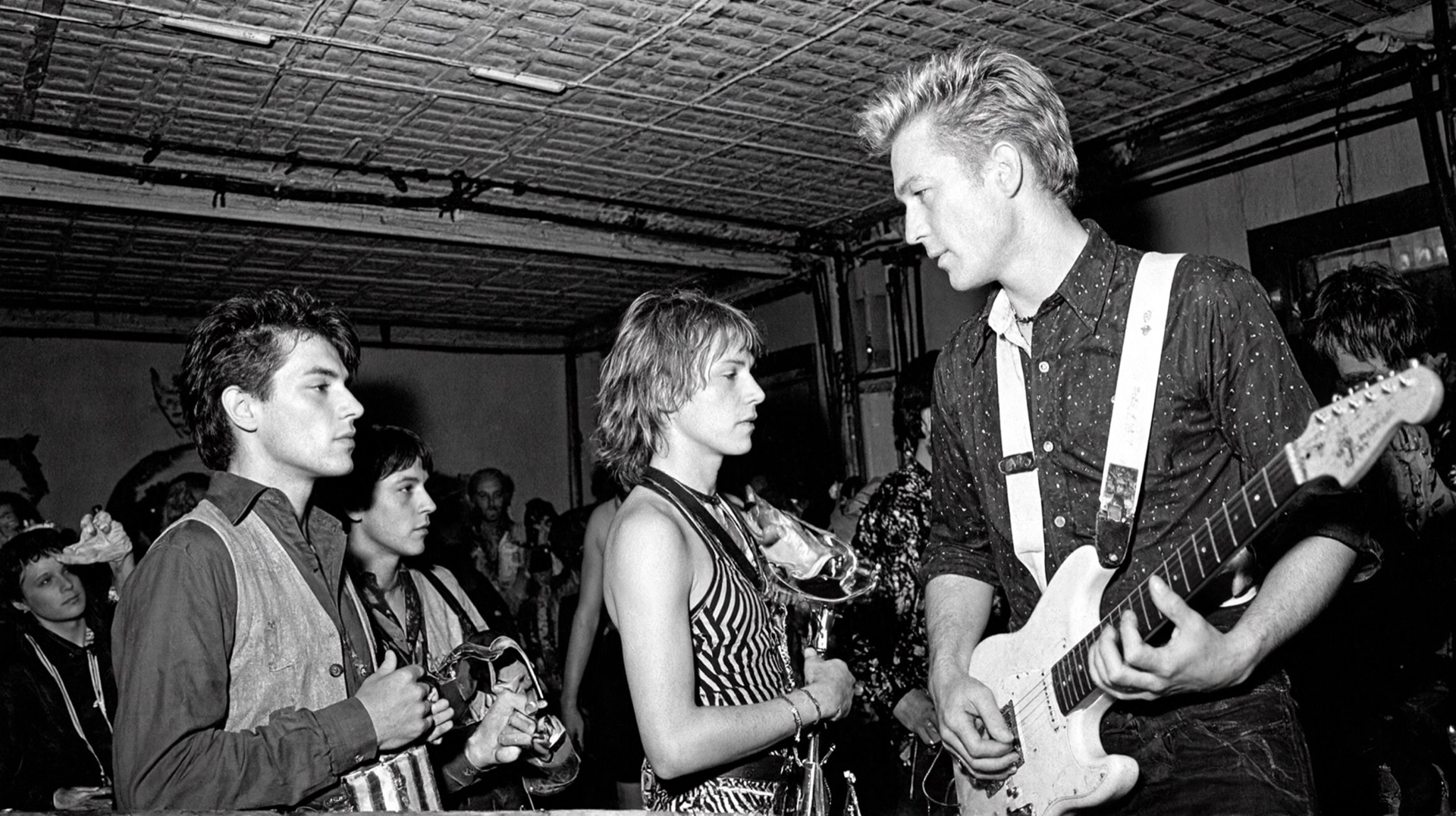
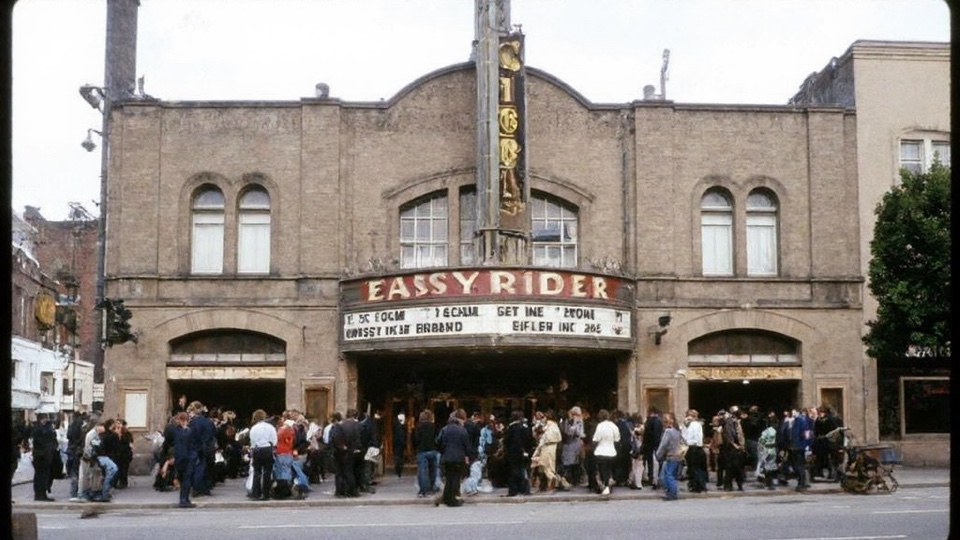
Three shots I generated as period stand-ins for the Counterculture short. Left column is the original Flux candidate (low res). Right column is the same subject after the Pixelwave upscaler pass — this is what gets cut into the film.

Berlin Wall — Flux low-res candidate
Berlin Wall — Pixelwave upscaled delivery
Sc 21 · Berlin Wall, Nov 1989. Same composition re-rendered — floodlights, flags on the wall, graffiti, faces in the front row all gain photoreal depth.
Tiananmen Square — Flux low-res candidate
Tiananmen Square — Pixelwave upscaled delivery
Sc 22 · Tiananmen Square, 1989. Iconic single-figure composition kept intact — the upscaled pass sharpens uniforms, palms, distant gate, and the protester's expression.
Punk Movement — Flux low-res candidate
Punk Movement — Pixelwave upscaled delivery
Sc 19 · Punk Movement, late '70s. Tight underground-club staging held through the upscale — mohawk bassist, Telecaster, club interior, B&W grain all sharpen.
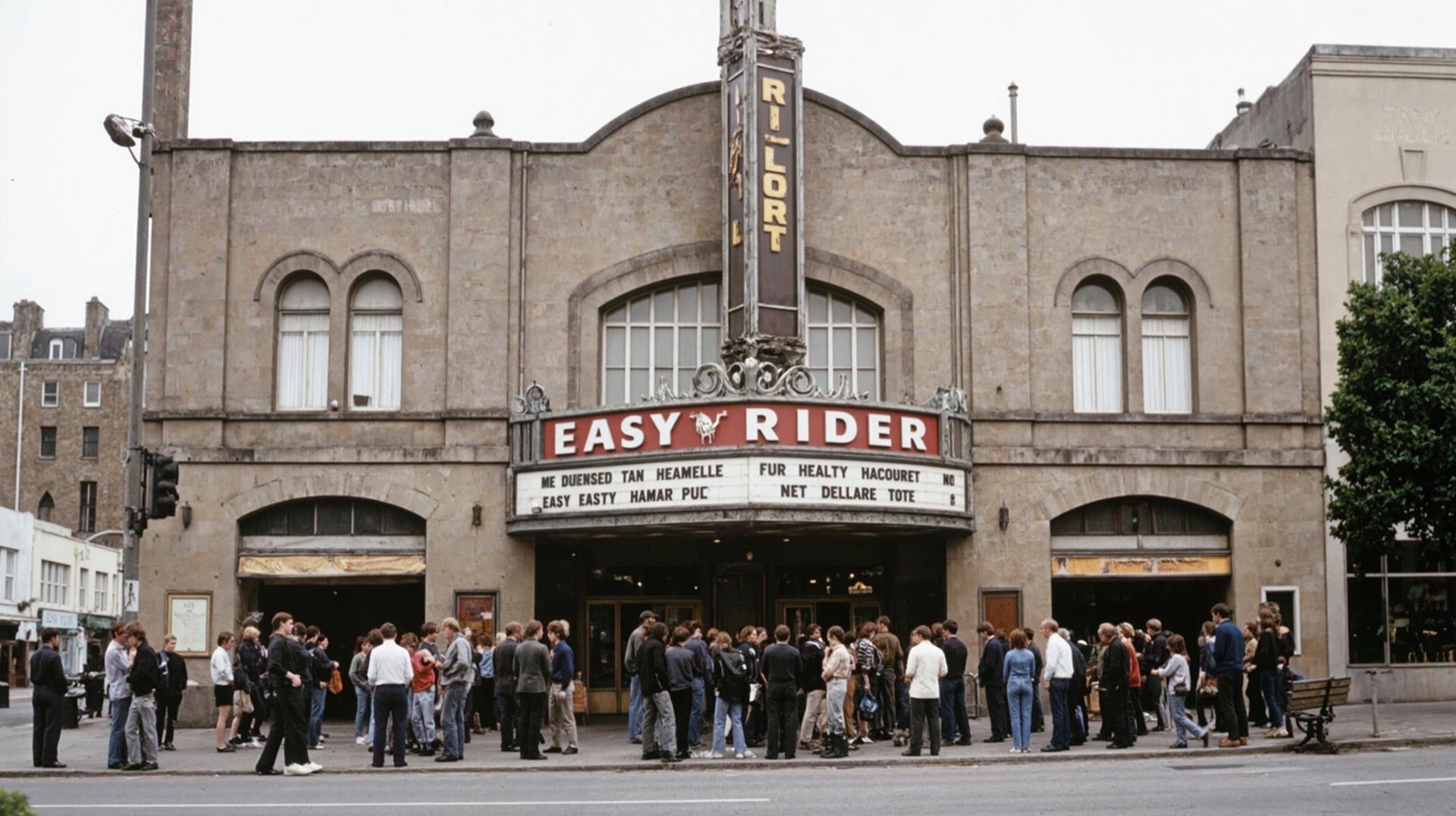
Easy Rider marquee — Flux low-res candidate
Easy Rider marquee — Pixelwave upscaled delivery
Sc 16 · Indie cinema, Easy Rider marquee. Architectural detail of the period theater facade returns in the upscale — brickwork, sign legibility, and crowd silhouettes.
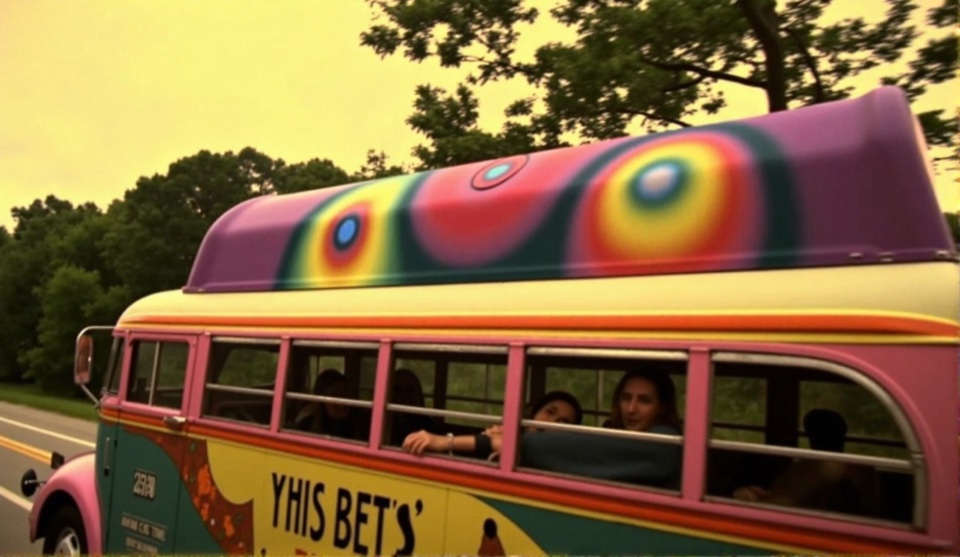
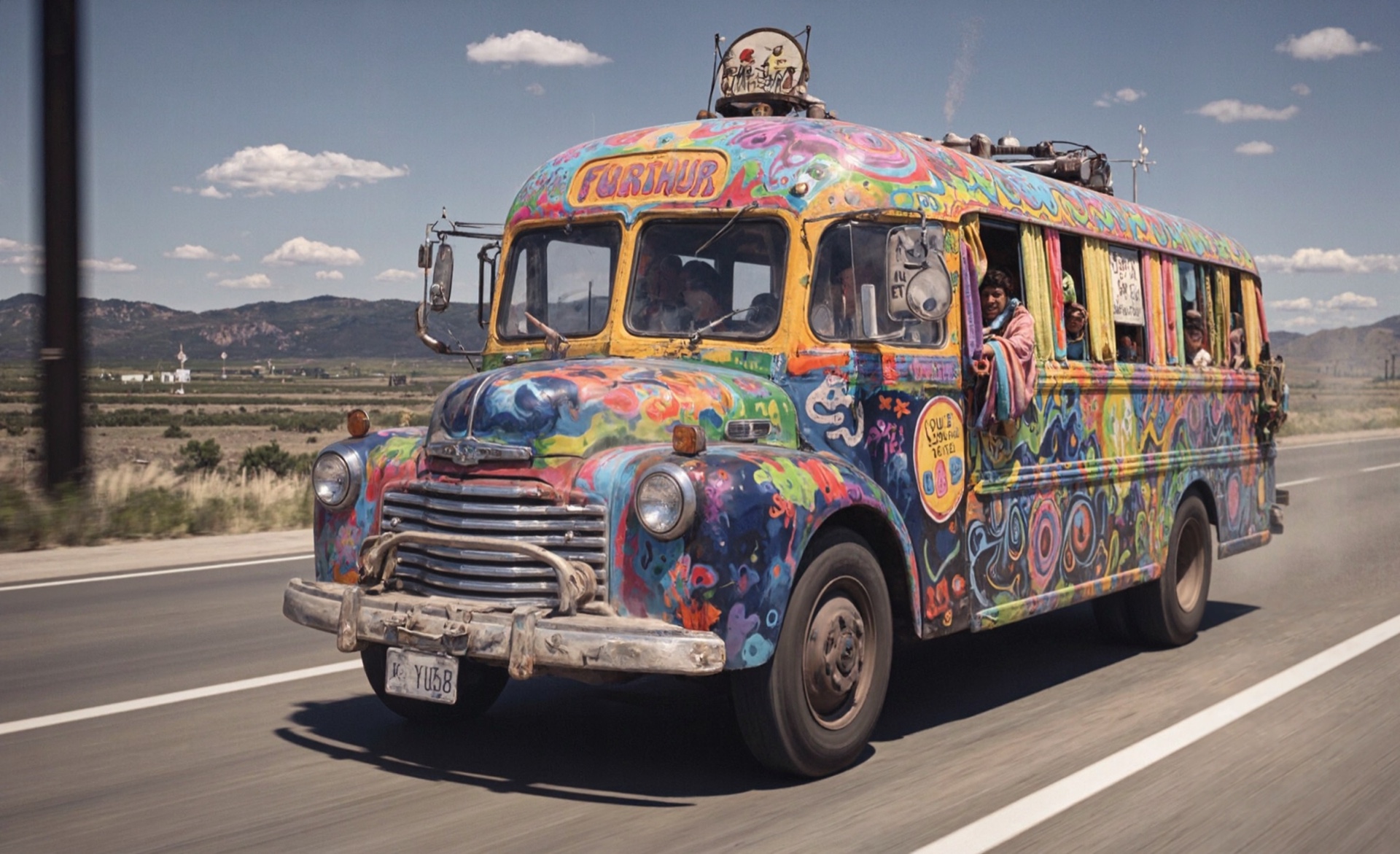
Furthur Bus — Flux low-res candidate
Furthur Bus — Pixelwave upscaled delivery
Sc 09/10/11 · Kesey's "Furthur" bus. Different angle of the psychedelic-painted Pranksters bus — the upscale brings out hand-painted detail, chrome, and license-plate-level clarity.
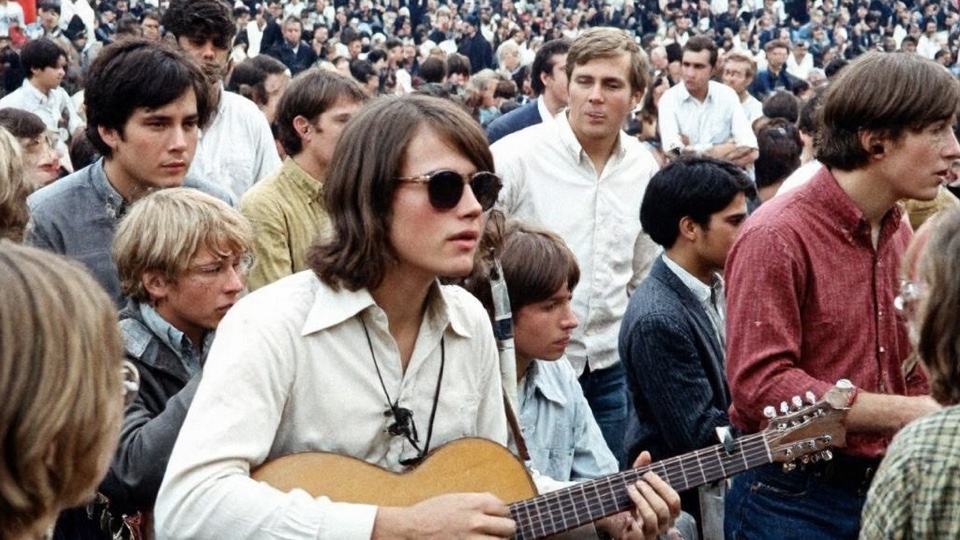
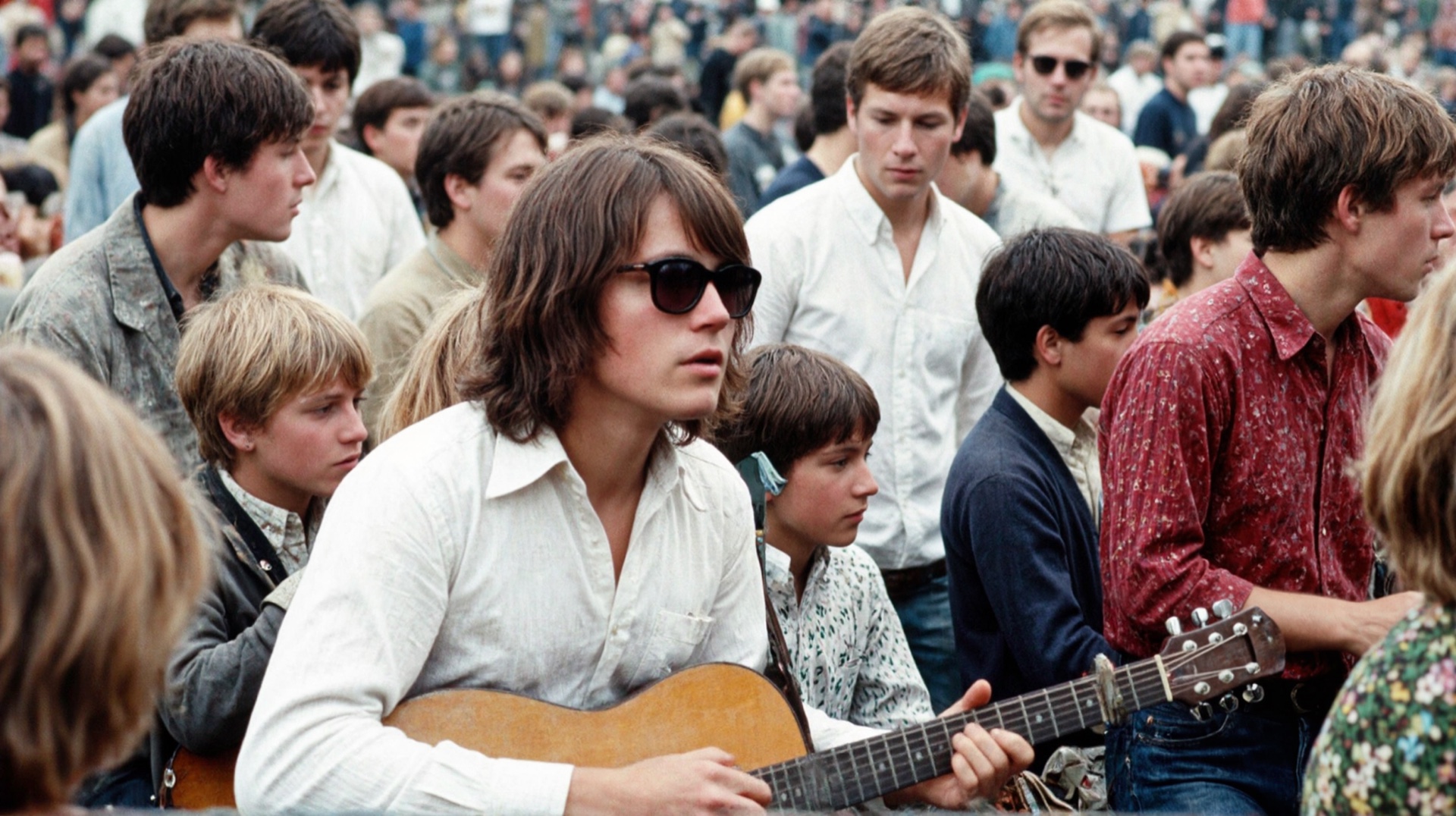
Woodstock hippie with guitar — Flux low-res candidate, plastic AI skin
Woodstock hippie with guitar — Pixelwave upscaled delivery, photoreal skin
Sc 14 · Woodstock crowd portrait. Clearest "fake AI skin → photoreal" jump in the bunch. The Flux candidate has the classic waxy doll-skin look on the central hippie's face; the Pixelwave pass brings back pores, stubble, hair strand detail, the kid's expression, and the crowd behind him.

The pipeline lets me sketch a missing period shot in minutes, swap LoRAs to match the decade, and finish at delivery resolution — without sourcing archival licensing for every cutaway.

From Stills to Motion — Doo Dah Men

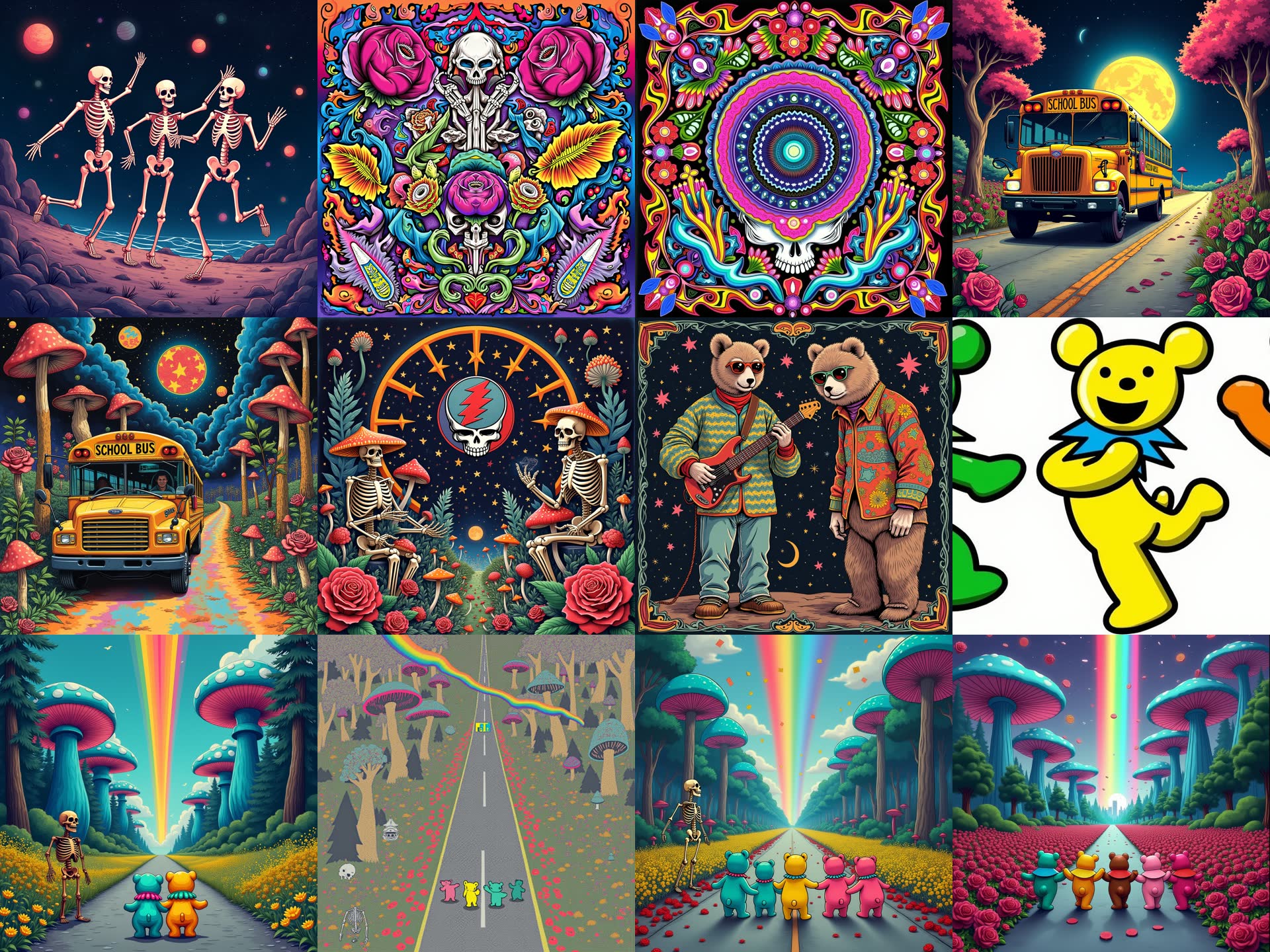
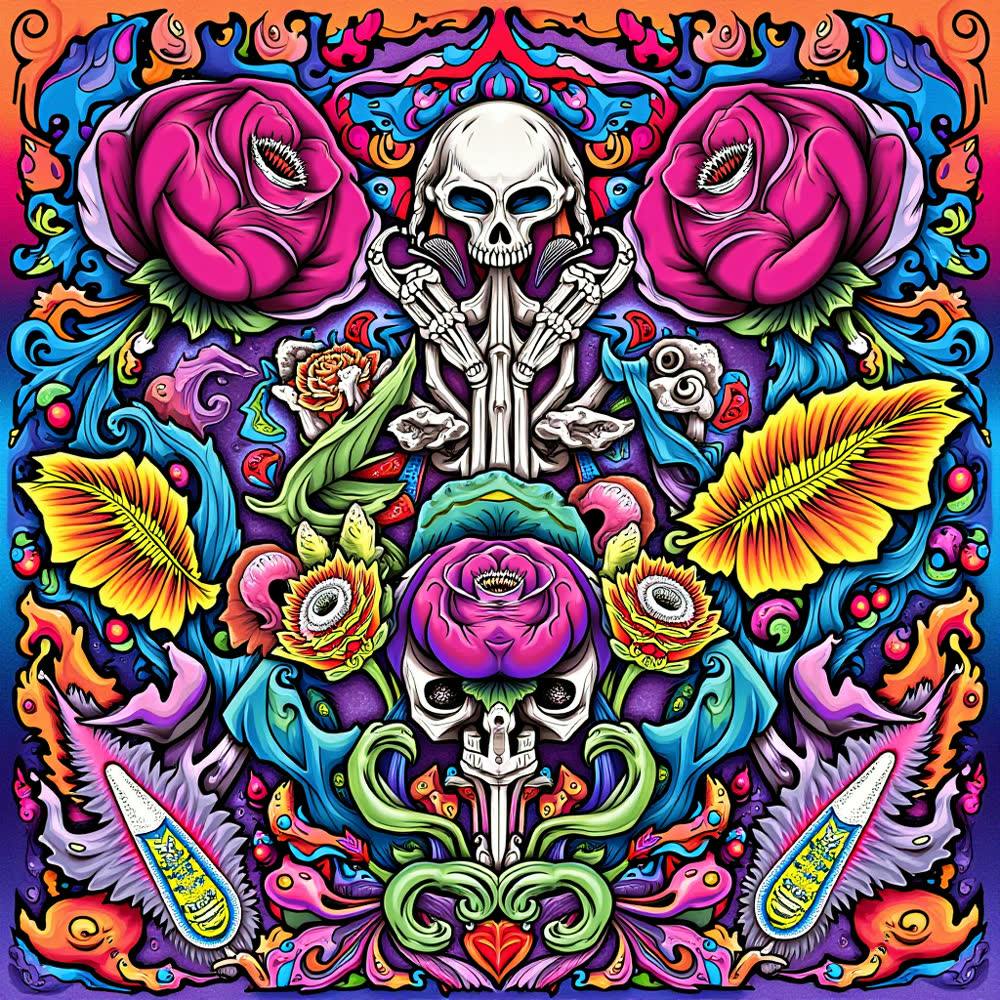
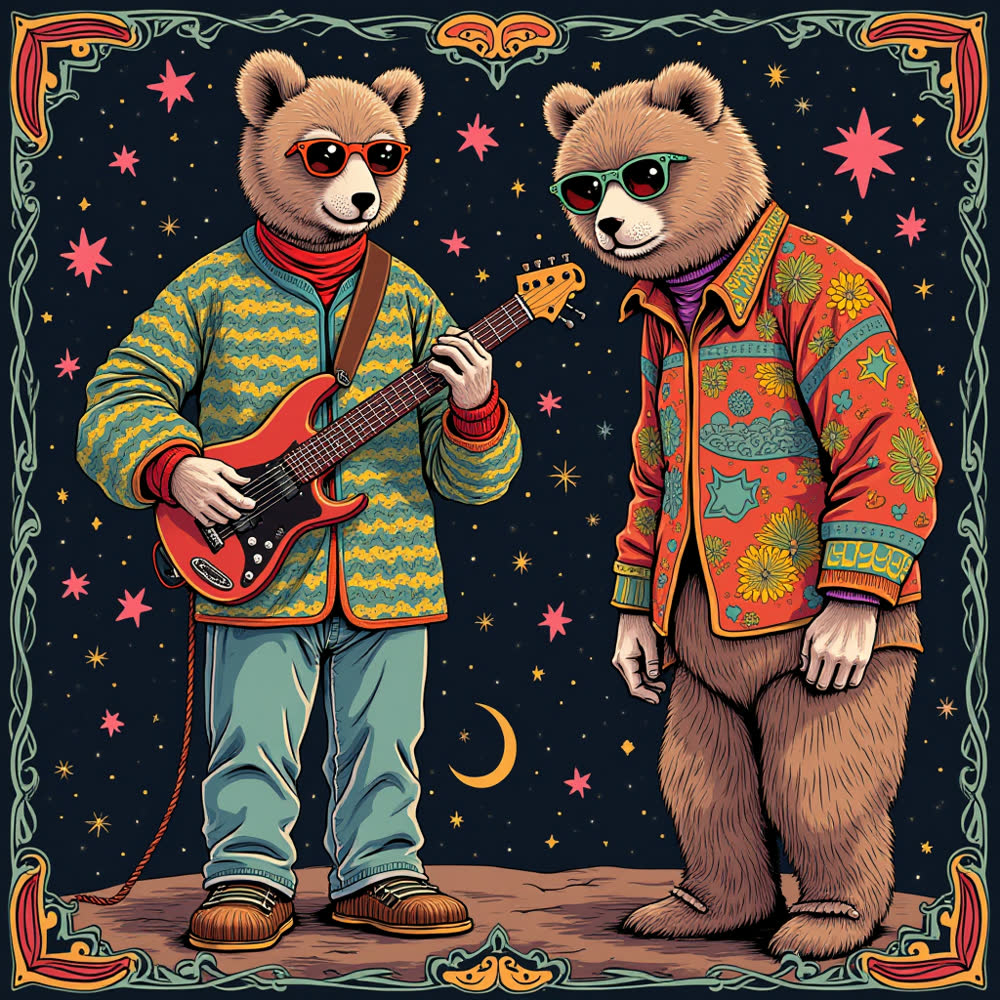
The Doo Dah Men are a Grateful Dead tribute band. They wanted a psychedelic backdrop they could project behind them through a live set. It didn't start as video. I generated dozens of still images in ComfyUI first — locking the band's palette and characters — then fed the best stills back in as I2V seeds and chained benji's long-video extension 14 ways into a stitched stage piece. Six windows into the master play in Step 2 below.

12 ComfyUI stills generated for Doo Dah Men
Step 1. Twelve of the 48 ComfyUI stills generated to lock the look — each PNG ships with the full workflow embedded in its metadata, so any image can be loaded back into ComfyUI and re-run.
Doo Dah Men still 1
Doo Dah Men still 2
Doo Dah Men still 3
Doo Dah Men still 4
00:47
04:00
21:00
19:18
11:17
13:23
Step 2. Best stills become I2V seeds. Wan VACE V2V passes + benji's long-length extension — chained 14 ways — stitch the shots into an AI-generated stage backdrop projected behind the Doo Dah Men, a Grateful Dead tribute band, for a live set. Hover any thumbnail to preview that section — click to jump to that timestamp in the full master below.
The full deliverable as it plays behind the band — one continuous render, every section visible end-to-end. Press play to step through the whole stage backdrop.
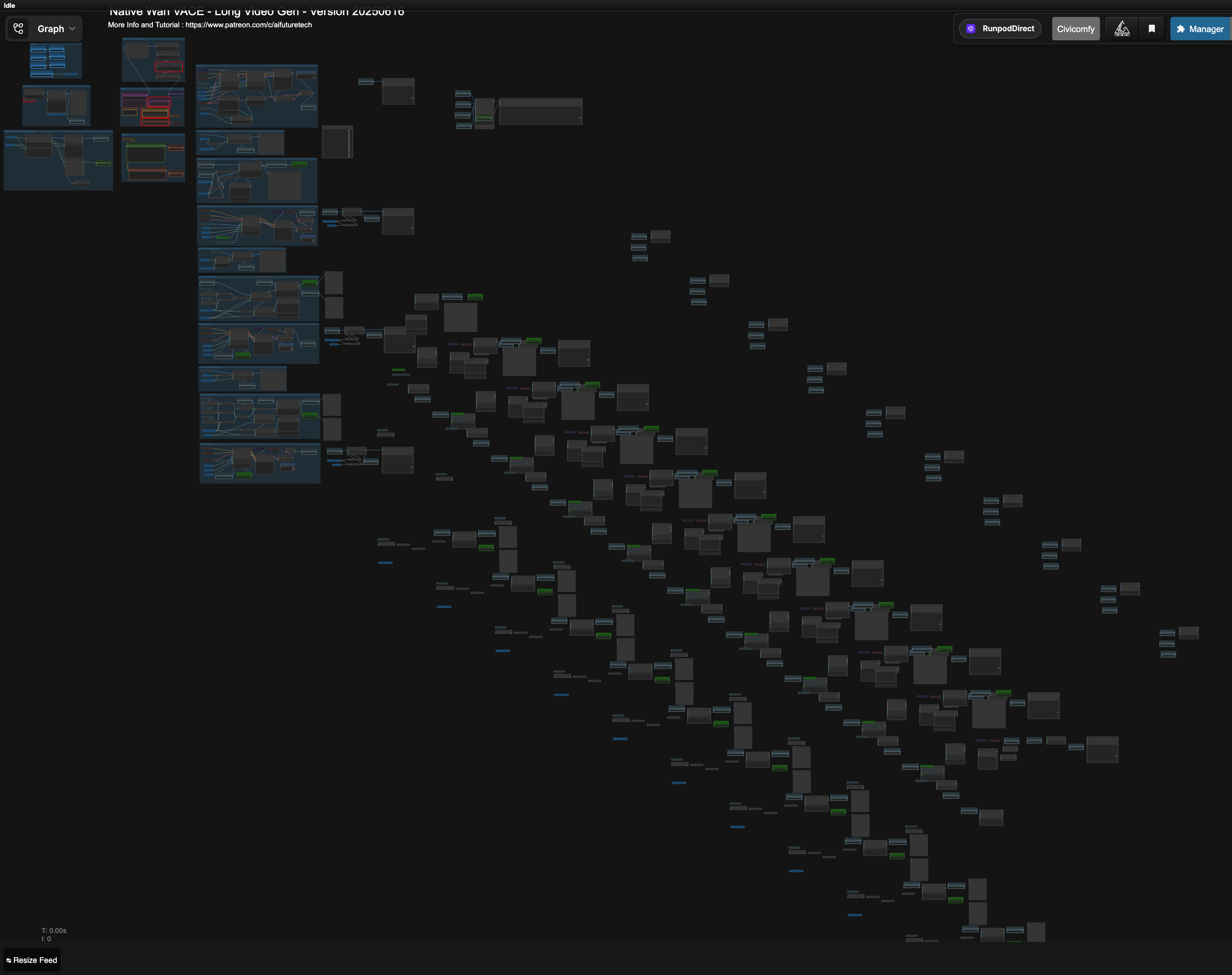
Mike's 14-part extension of benji Wan VACE V2V workflow
Mike's 14-part extension of benji's ComfyUI workflow · benji_Wan_Vace-Native-V2V-CN_WithExtendLongVideo_14parts_final.json — the chain stitches sequential shots into a single continuous backdrop render.
Real Product Brand Spot · Tin City Distillery

Chocolate Love Vodka

Holiday-themed AI spot for the actual Chocolate Love Vodka — a real chocolate-flavored vodka by Tin City Distillery out of Paso Robles, CA. 69 proof, blended with cacao nibs and house-made caramelized simple syrup. The brand sells it in an Espresso Martini cocktail kit — their featured serve. Find them on Instagram and Facebook.

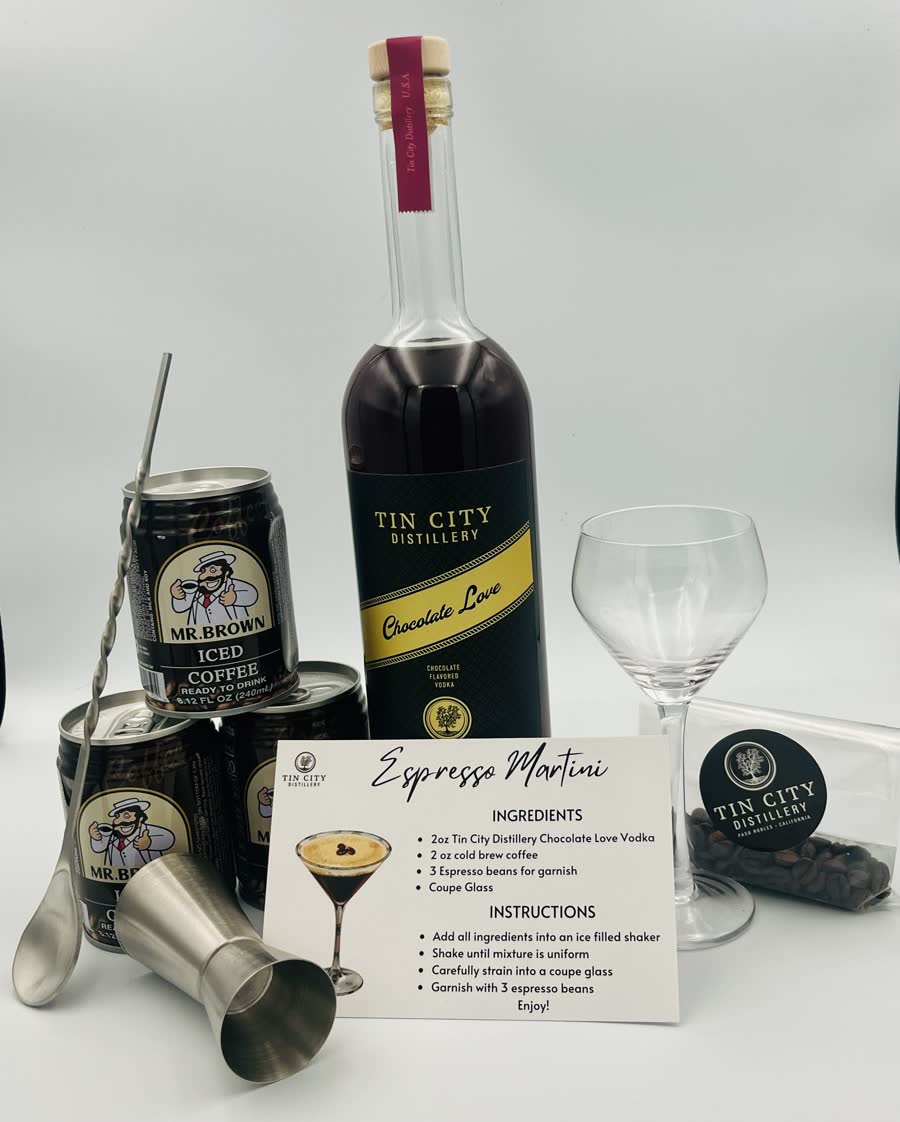
Chocolate Love Vodka in the Tin City Espresso Martini cocktail kit
The real product as Tin City sells it — bottle, coupe glass, Mr. Brown iced coffee, espresso beans, recipe card. 750ml, 34.5% ABV, made in Paso Robles.

Draft → Refine → Deliver

Two rounds of client review drove the look. The first generation explored what the model wanted to do unprompted; the second narrowed to the holiday angle the client called out; the final locked the beat for delivery in both 16:9 and 9:16 cuts.

Draft 1 · Dec 9, 2024. Broad-prompt exploration: "an ad for a new vodka called chocolate love." No brief constraint — first read on what direction the model wanted to go.
Draft 2 · Dec 12, 2024. Narrowed to the holiday/Santa concept the client called out after Round 1. Wardrobe + product handling start locking in.
Final · 16:9. Delivery cut. Brand-safe staging, controlled motion, audio bed.
Final · 9:16. Vertical social cut for Instagram & Reels.

Tame Impala — Nangs

An audio-reactive album visualizer for the track "Nangs." The audio itself drives the animation — stems are split out, then amplitude, onset, and spectral features are extracted and mapped onto the visuals so every pulse and transient lands on the beat. 1 minute 45 seconds of continuous AI generation, iterated through dozens of renders to lock the palette.

The visualizer. Press play for sound — the motion is locked to the track's amplitude and onsets, not hand-keyframed.
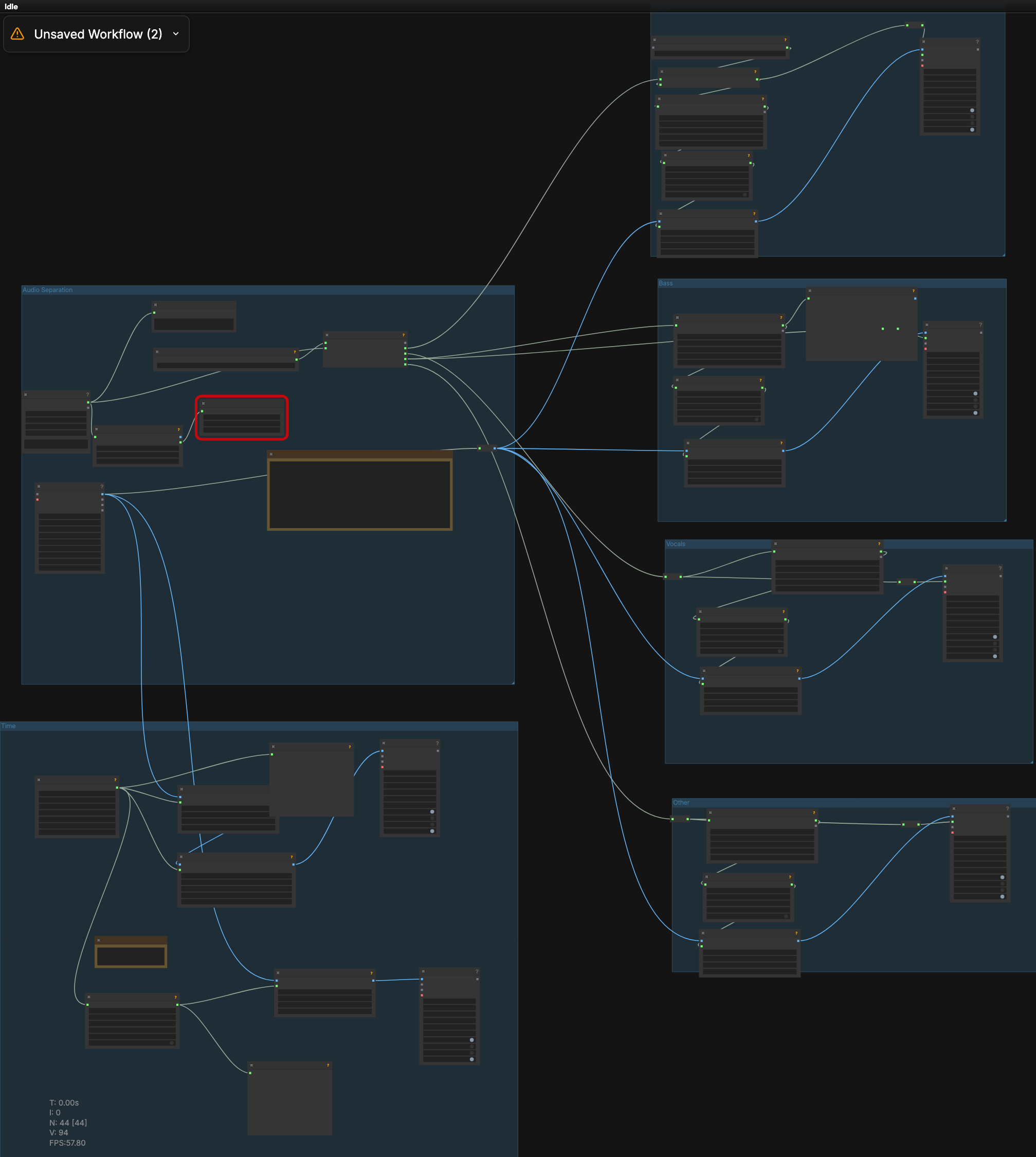
RyanOnTheInside audio-reactive ComfyUI workflow used for the Tame Impala visualizer
ComfyUI workflow · RyanOnTheInside Flex Features · playhead_tutorialVERSION2.jsonAudioSeparatorSimple splits the stems, AudioFeatureExtractor pulls amplitude / onset / spectral, and FeatureOscillator + FlexVideoDirection drive the visuals in sync with the track.

Singin' in the Rain — 4:3 → Widescreen Outpaint

AI outpainting on the 1952 classic. The original Academy 4:3 frame is extended outward into 16:9 while preserving Gene Kelly's choreography, the rainstorm physics, and the song's timing. Top: side-by-side comparison. Bottom: drag the gold handle to wipe between the source and the AI-extended version. The black bars on the source side are exactly where AI invents new content.

4:3 ORIGINAL (1952) AI WIDESCREEN OUTPAINT
4:3 Source Widescreen Outpaint
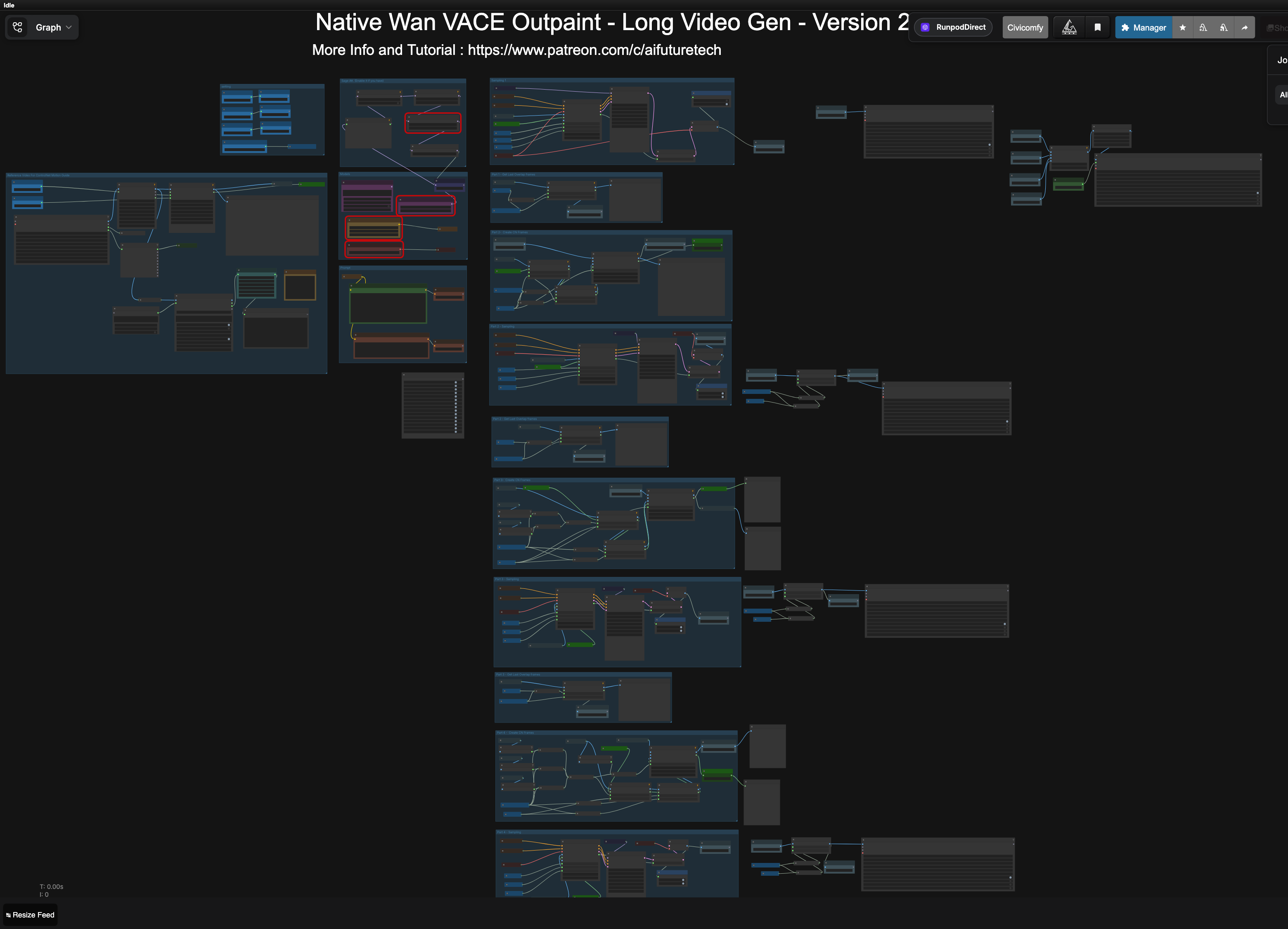
benji Wan VACE Outpaint workflow
ComfyUI workflow by benji · 01_benji_Wan_Vace_outpaint-Native-WithExtendLongVideo.json — Wan VACE native outpaint with long-video extension; the 4:3 plate goes in, the model paints the new 16:9 borders frame-coherently.

Control & Process

Behind every clip there's a control input — pose, depth, motion signal, mask, or a plate. These pairs show input on the left, AI render on the right. Click either video to play both in sync.

Motion Signal Input
AI Render

TTM Control

A drawn motion signal video plus a binary mask drive AnimateDiff's render so the subject sticks while the background obeys the trajectory. First-frame still anchors identity.

AnimateDiffTTMMaskMotion Signal
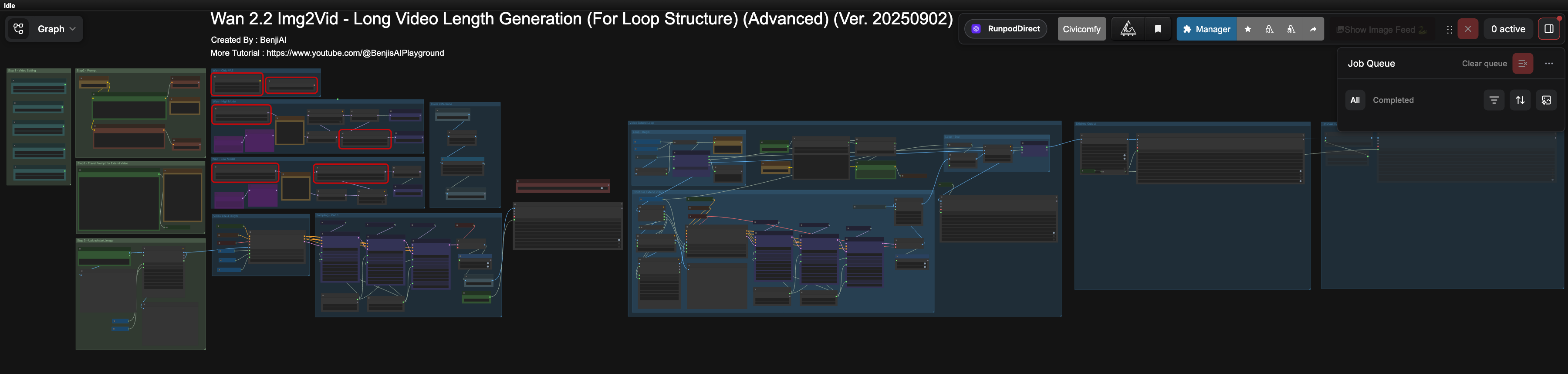
benji Wan 2.2 i2v Long Video Gen Looping Advanced
ComfyUI workflow by benji · benji_wan2_2_i2v_LongVideoGen_Looping_Advanced-Ver20250902.json
Control Video — Toy Hot Wheels (iPhone)
Wan VACE Output — Real Porsche, LA Street

Hot Wheels → Real Porsche 911 (Wan VACE ControlNet V2V)

I shot a blue Hot Wheels toy on my floor with a phone, then fed it to Wan 2.2 Fun VACE as the ControlNet V2V source. Prompt: "Replace the toy Hot Wheels car with a photorealistic red Porsche 911 Turbo… busy Los Angeles city street — urban buildings, street signs, other cars, sunny California lighting." The toy's motion and silhouette drive a fully photoreal sequence. Yellow cabs, palm trees, and shadow direction all emerge from the prompt; the camera path is the toy's path.

Wan 2.2 VACEControlNet V2ViPhone sourceRunPod
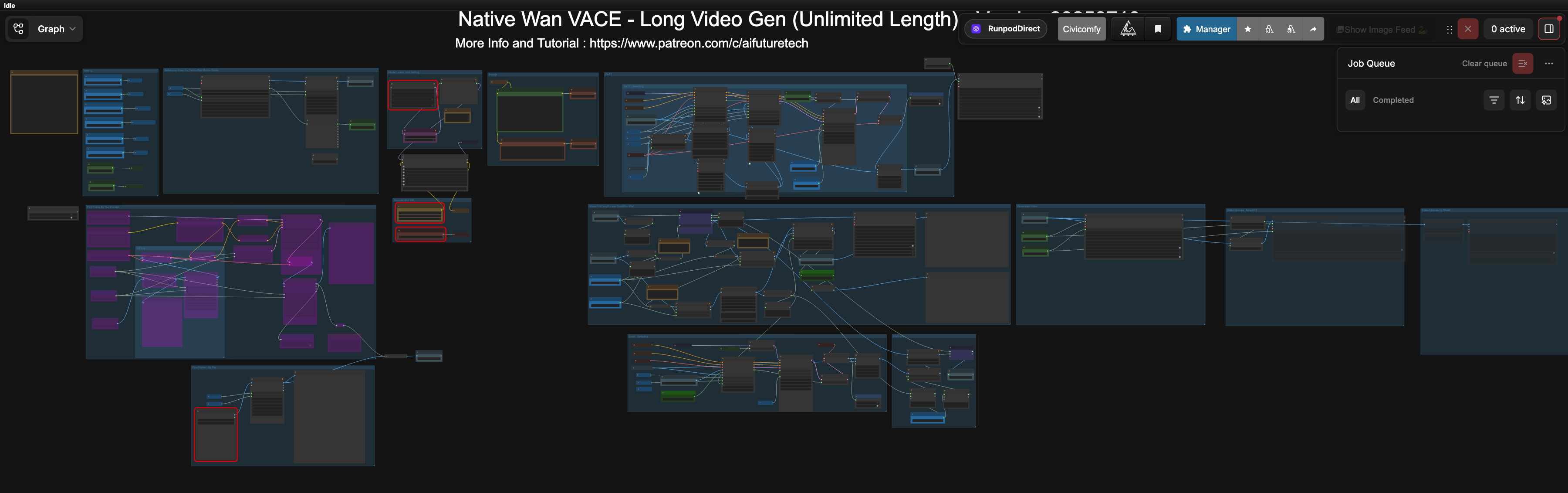
benji Wan VACE Native V2V ControlNet LongVideo workflow
ComfyUI workflow by benji · 01_benji_Wan_Vace-Native-V2V-CN LongVideo (Unlimited Length) 20250710.json
Original Engraving Wan Animate Fix

RW Coolidge — Wan Animate Duck-Logo Fix

Drag the gold slider to wipe between the original shoot (crude, uneven engravings) and my Wan Animate fix (clean, refined duck logo). Same shot, same lighting, same motion — only the engraving changes. No re-shoot required.

Wan AnimateLogo ReplacementVertical 9:16Production Save
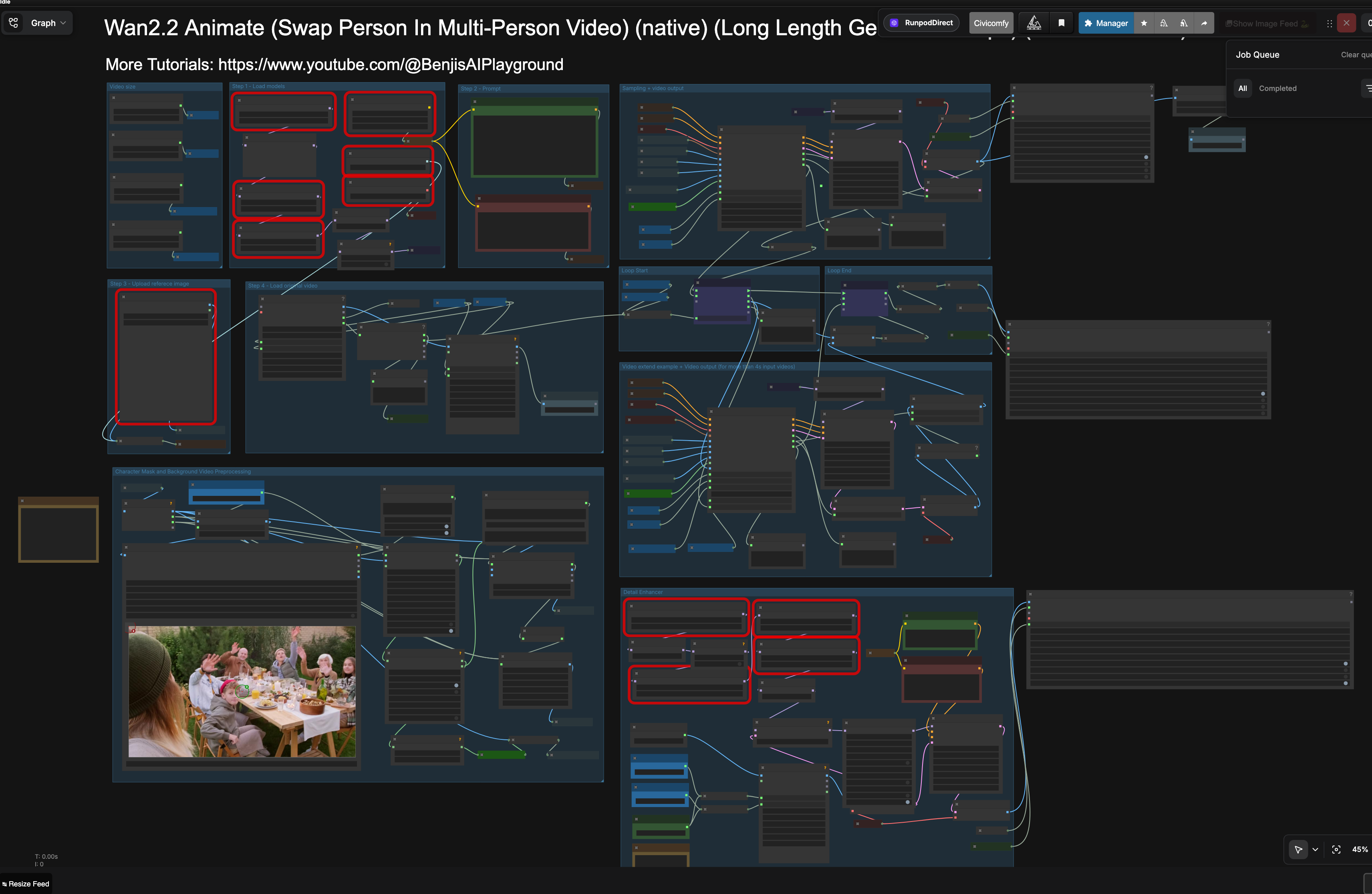
Wan 2.2 Animate (Long Length Unlimited Loop)
ComfyUI workflow · Wan2.2_Animate (native) (Swap Multi-Person Video) (Long Length Unlimited Loop) (DetailEnhancer) Ver 20251017.json
LTX 2.3 Inpaint Source
Final Output

LTX 2.3 Inpaint — Region-Targeted Edits

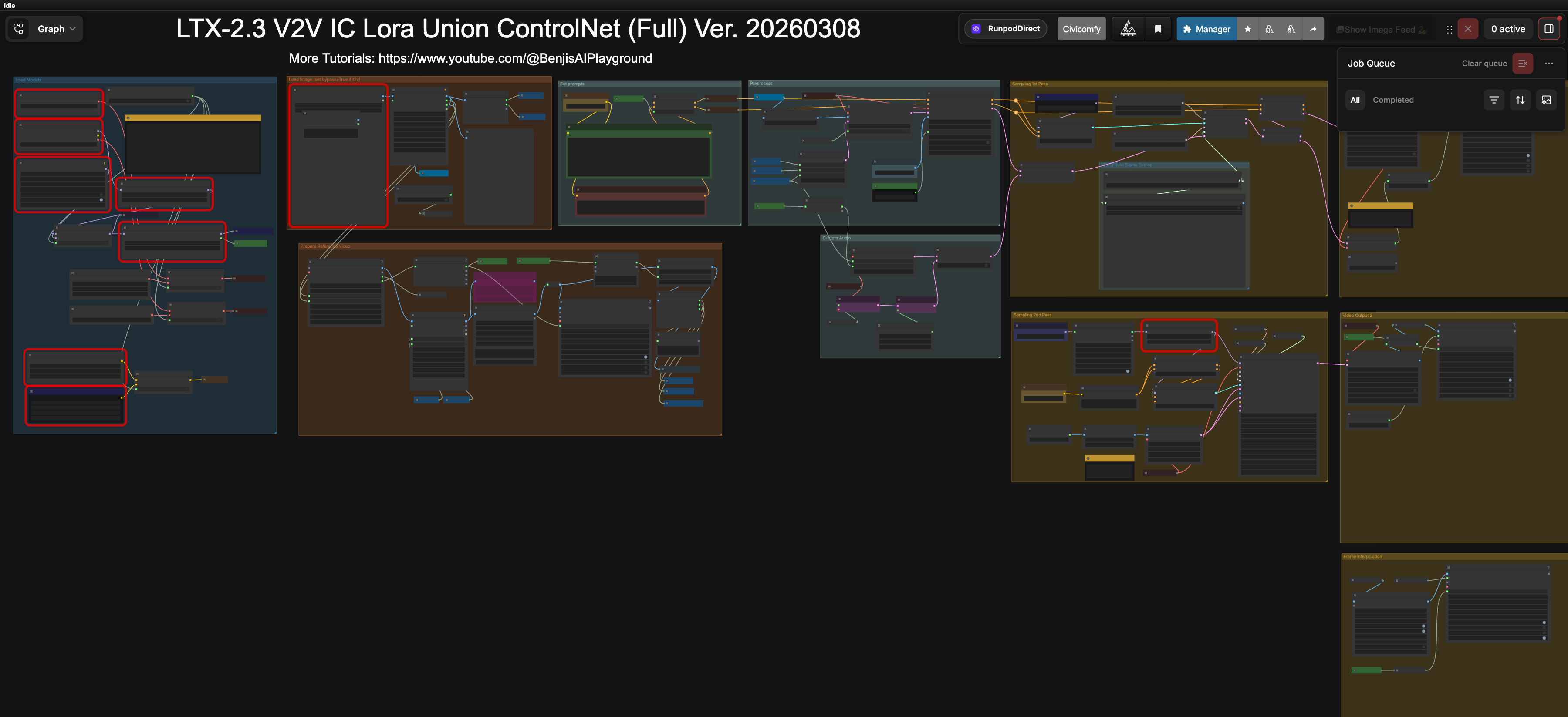
LTX 2.3's video inpaint can change a single object, surface, or actor without disturbing the rest of the scene. Pipeline built for client iterations.

LTX 2.3InpaintRunPod
LTX 2.3 V2V IC LoRA Union ControlNet workflow
ComfyUI workflow · Benji_LTX-2.3 V2V IC Lora Union ControlNet (Full) Ver. 20260308.json
Case Study · Television

Something Here

I trained character LoRAs for the show's principal actors — their look and their voice — then used them to pre-vis scenes, generate animated test footage, and prototype temp ADR. Full pipeline from dataset to delivered clip.

01 — Look

Character Visual LoRAs

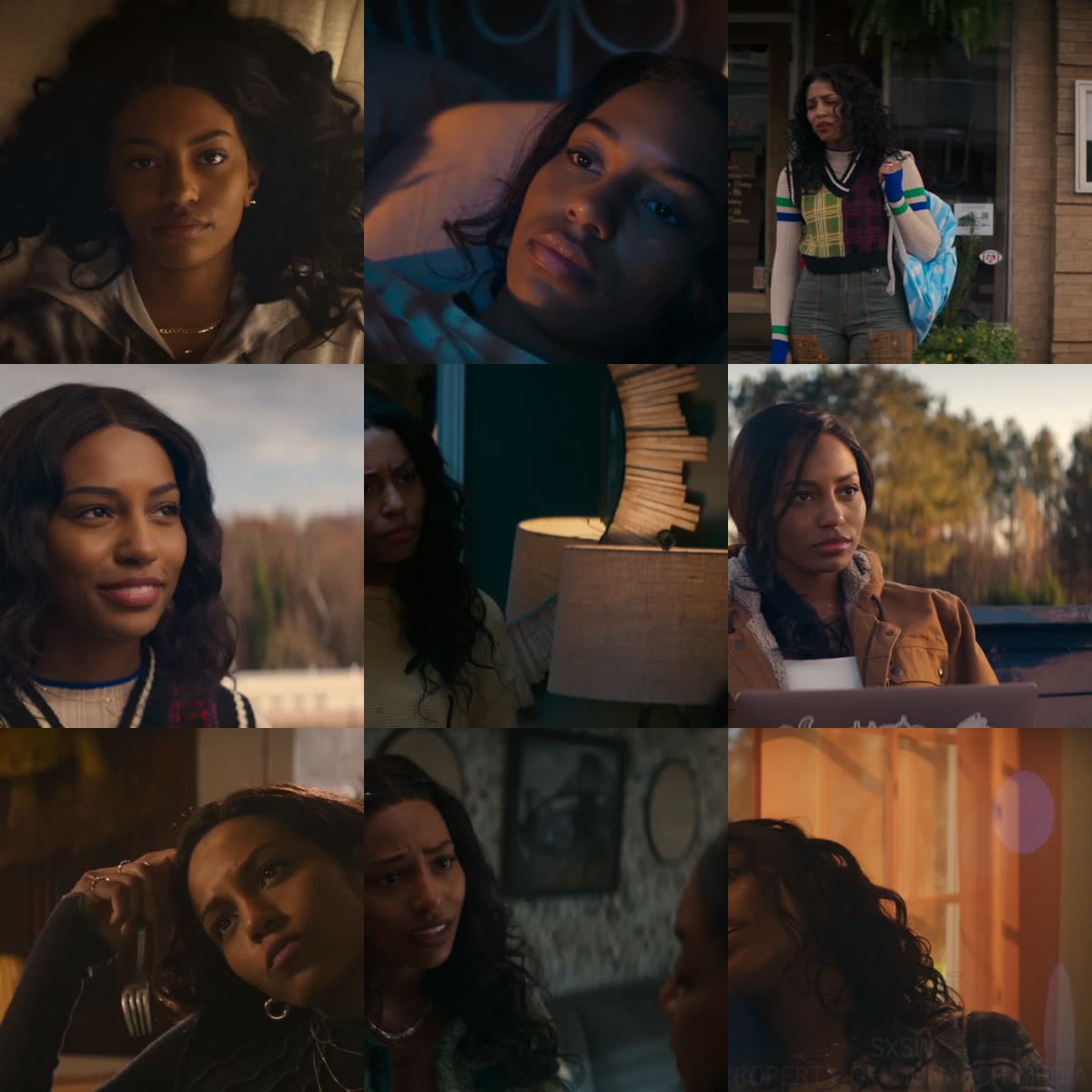
Per-actor likeness LoRAs trained on a curated dataset of stills with hand-cleaned VLM captions. Trigger tokens (SAM, LEXI, MOM) drop the principals into any generated scene while keeping continuity with the show's costume, lighting, and blocking notes.

AI-ToolkitFlux LoRA26+ images / characterVLM-captioned
SAM character LoRA training dataset — 9 of 26 frames
Training dataset for the SAM character LoRA (9 of 26 frames shown)
LEXI looks at SAM and MOM — LoRA-generated scene reference
LEXI generated in-scene via the trained LoRA
SAM and MOM outside church — LoRA scene composition
SAM & MOM, multi-character composition
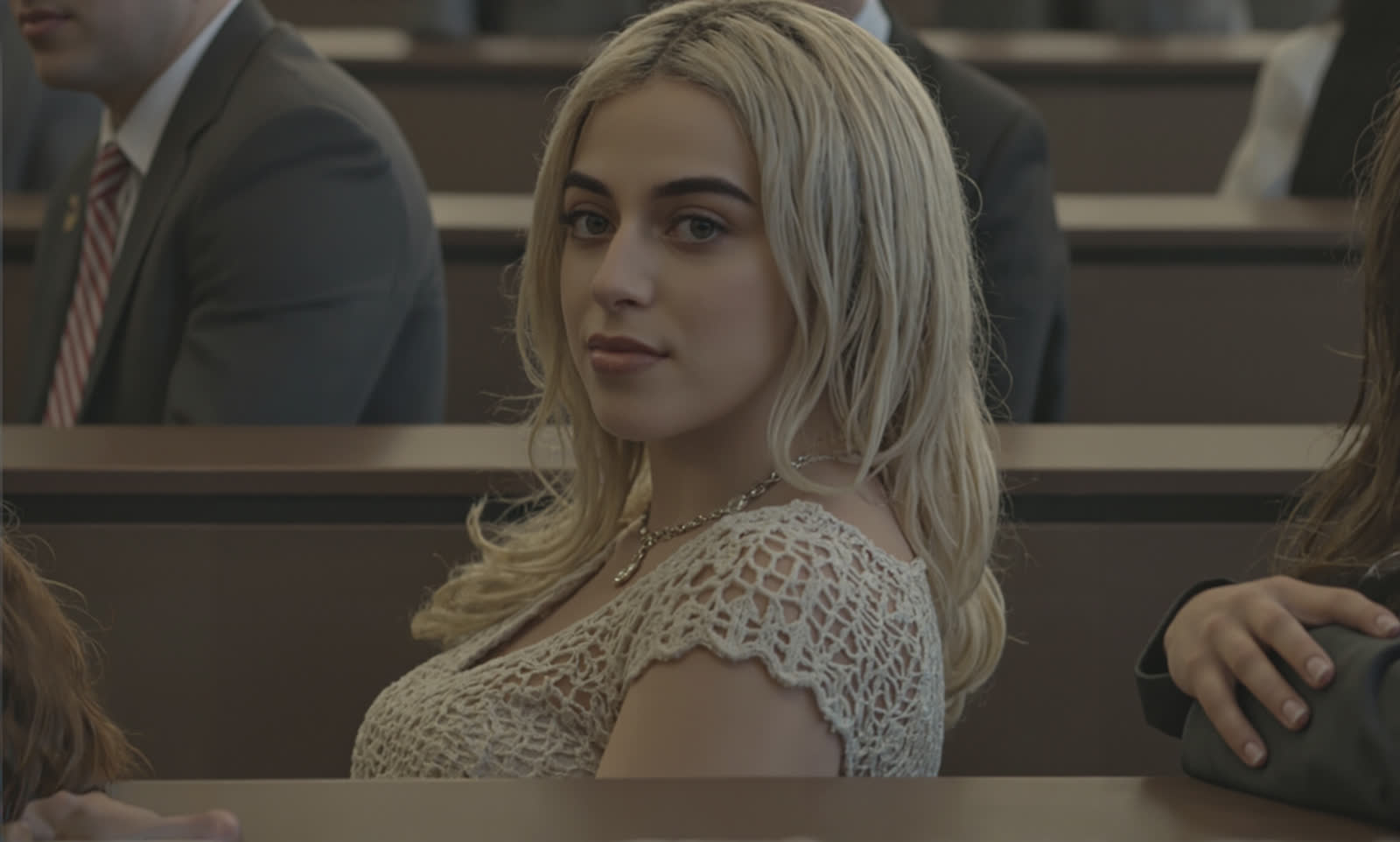
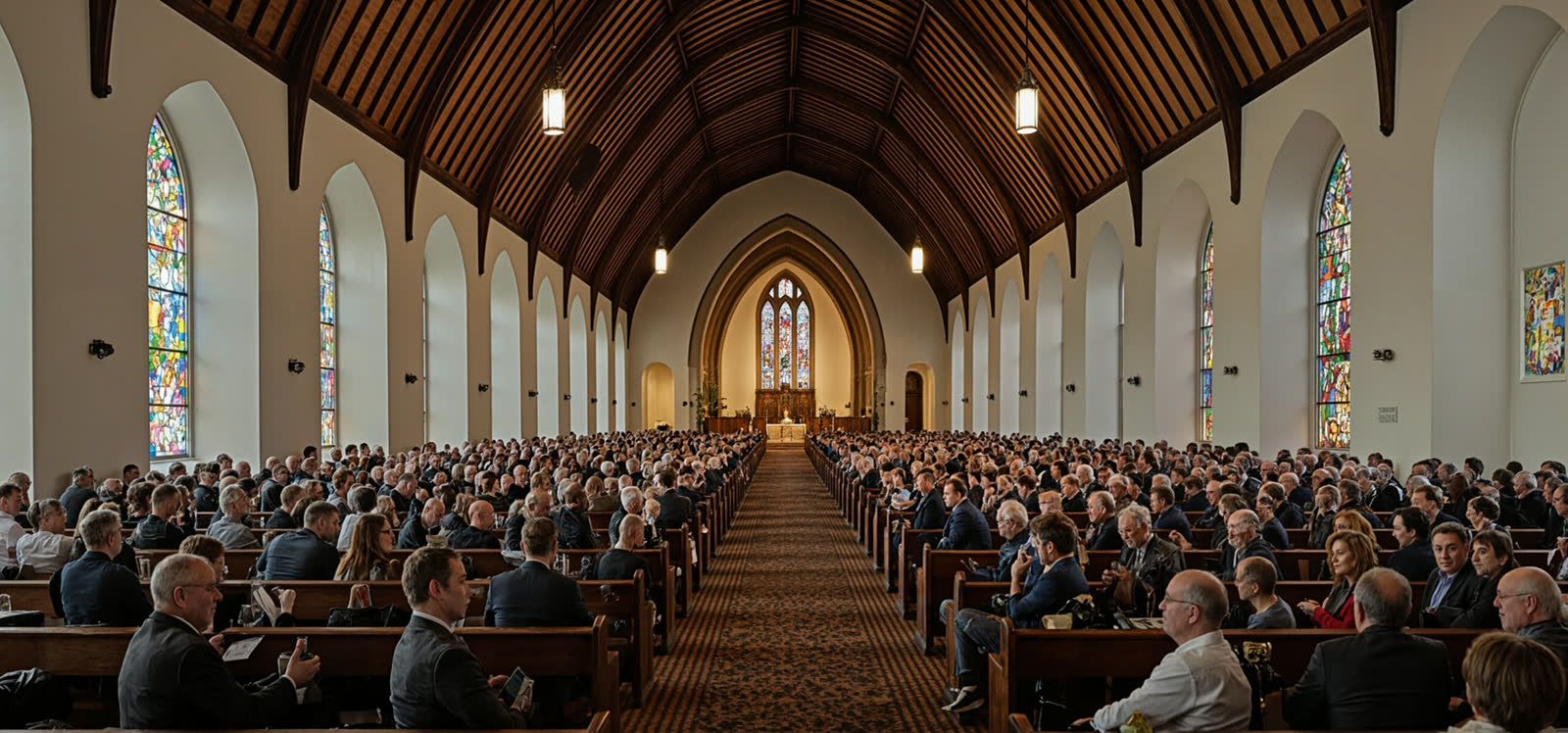
Church patrons turn around — wide ensemble shot
Ensemble wide; church patrons turn
SAM and MOM outfits — wardrobe consistency
Wardrobe pass for SAM & MOM continuity
01.5 — Two-Shots

Hook LoRAs — Multiple Characters in One Frame

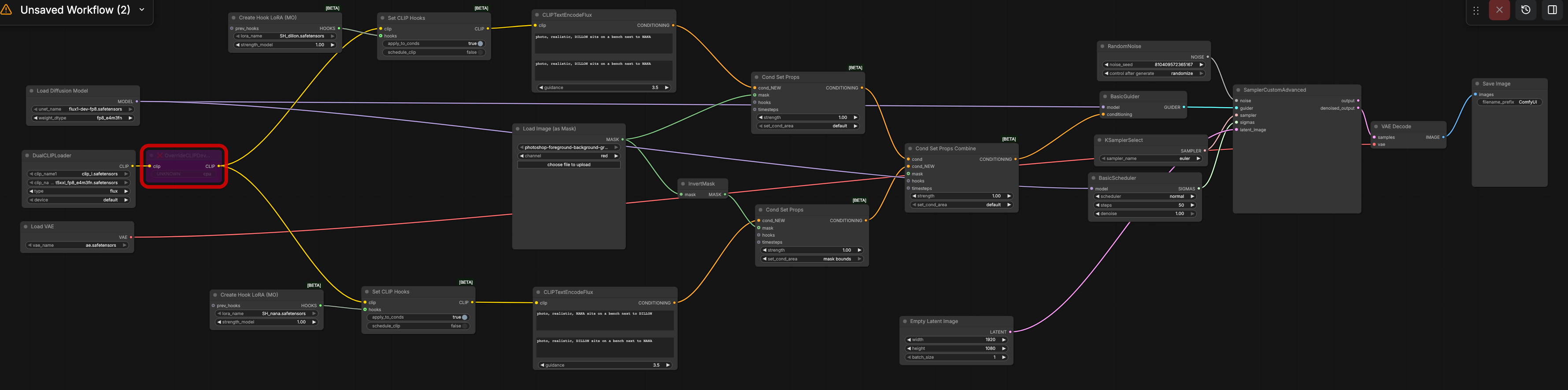
Stock Flux only applies one LoRA at a time, so a two-shot with two specific actors falls apart — both faces drift toward whichever LoRA loaded last. Hook LoRAs route each character LoRA through its own conditioning branch with a region mask, so two principals can share a frame and stay themselves. This is the workflow behind the multi-character composition stills above.

ComfyUI HooksPer-character LoRARegional conditioningFlux Dev
ComfyUI Hook LoRAs workflow — two-character Flux generation
ComfyUI workflow · 2 Hook loras_WORKFLOW.json — two Create Hook LoRA nodes route different character LoRAs through their own Set CLIP Hooks branches; each branch gets its own region-masked prompt. One sampler render, two on-model characters.
02 — Voice

Character Voice Clones

Each principal got a voice model trained from their own production audio — usable for pre-vis ADR, temp dialogue under animated reference, or director-side scratch lines without recalling the actor. The samples below are AI-generated reads from the trained models.

ElevenLabs IVCCustom samplesPer-characterTemp ADR ready
LEXI Cloned voice
MOM Cloned voice · "Hi…"
MOM Temp ADR generation
DILLON Temp ADR generation
03 — Scene

Animated Scenes with Cloned Voices

Pre-vis pieces combining the visual LoRAs (character likeness), Wan 2.1 / AnimateDiff motion, and the voice clones for performance. These let the production team see and hear a scene before the camera rolls.

AnimateDiff · Cloned Voice

LEXI — Living Room Scene

Tap the speaker icon to hear the cloned LEXI voice driving the scene.

AnimateDiff · Two-Hander

SAM & MOM — Two-Hander

Mom and Sam in dialogue, LoRA-driven characters under temp cloned audio.

Wan 2.1 VACE

Scene Restyle (VACE V2V)

VACE V2V used to restyle a live-action take into a stylized animated variant while preserving block, action, and timing.

Pre-Vis

Tracking Shot Pre-Vis

Camera move blocked out in AI to test coverage before shoot day.

Brand & Character LoRAs

Two ongoing projects where I trained custom LoRAs for production use — one character (an animated cat for a TV show), one brand (a real-estate floor-coating service).

Character LoRA · Animated Show Pre-Vis

Prim — Title Character

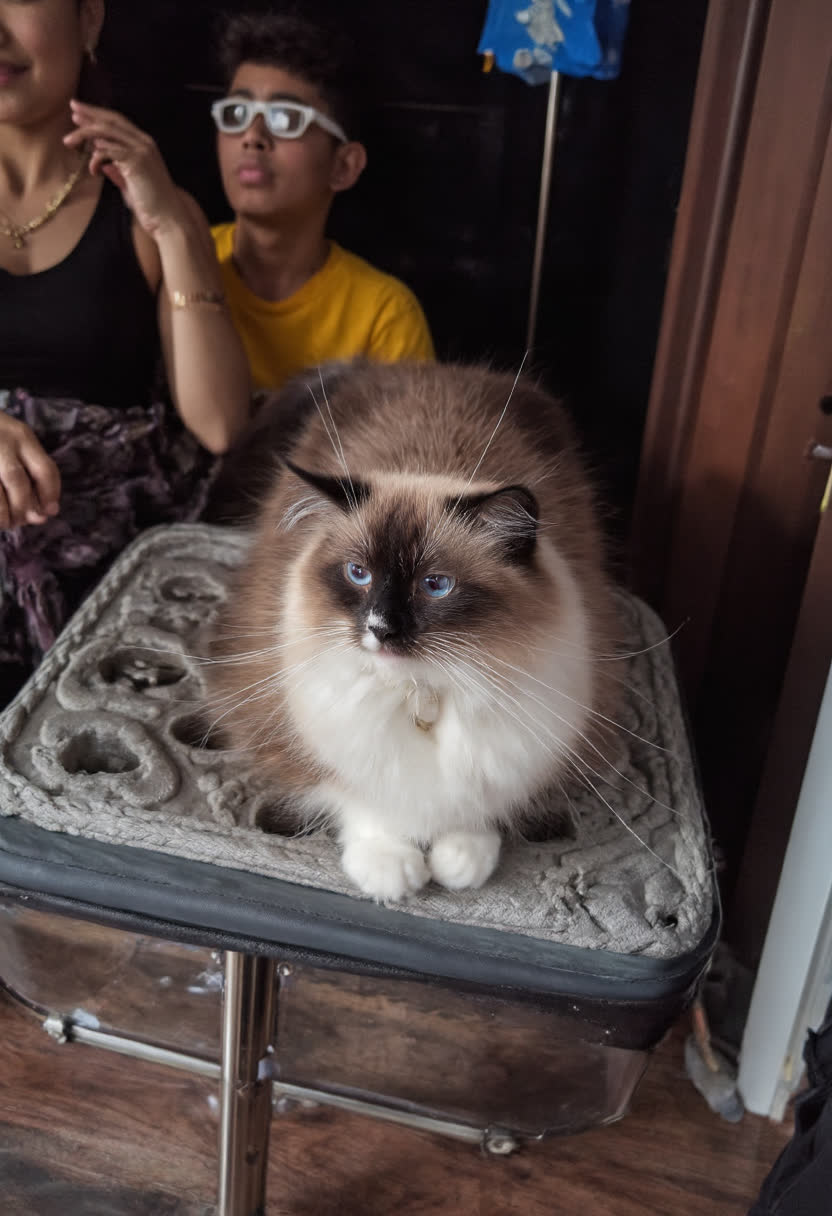
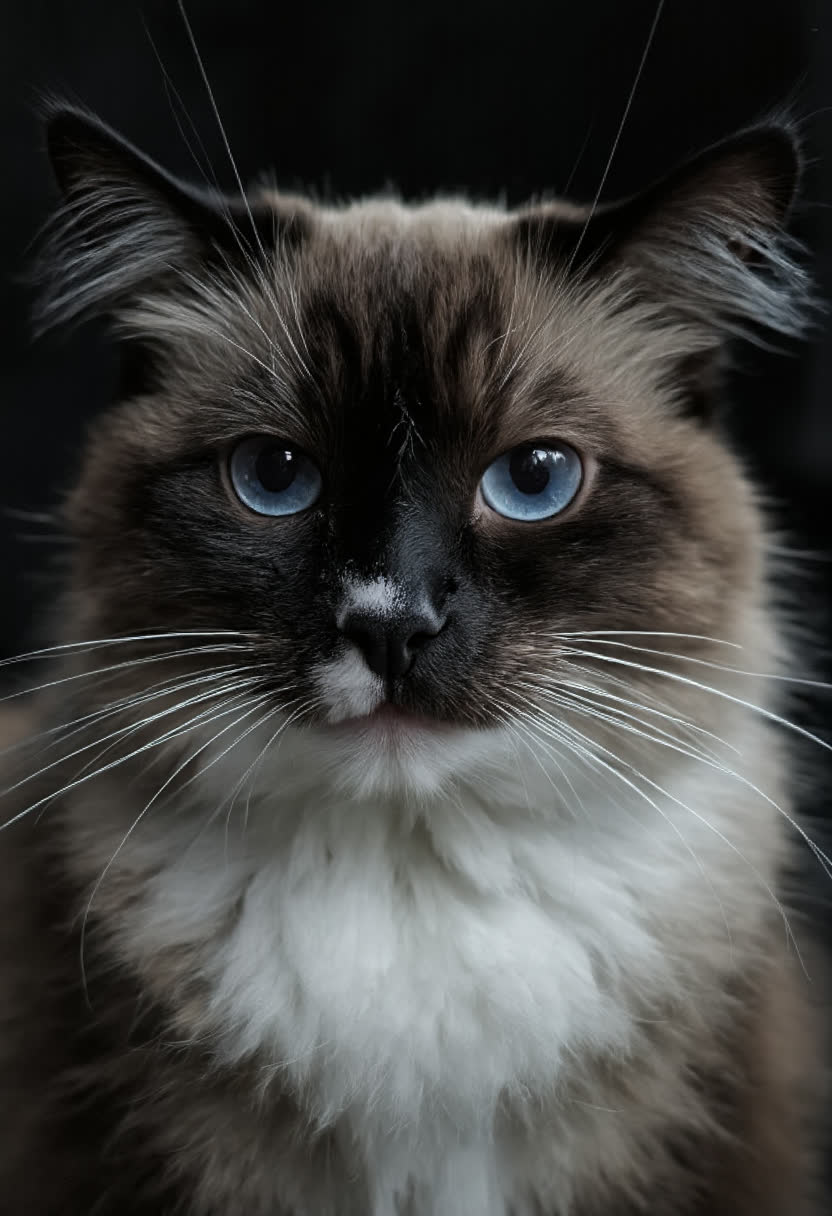
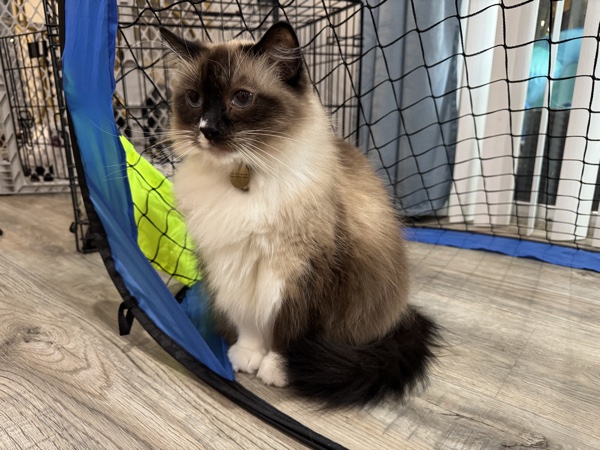
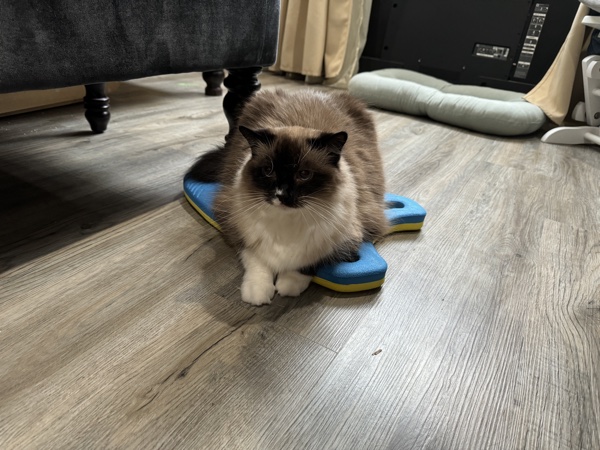
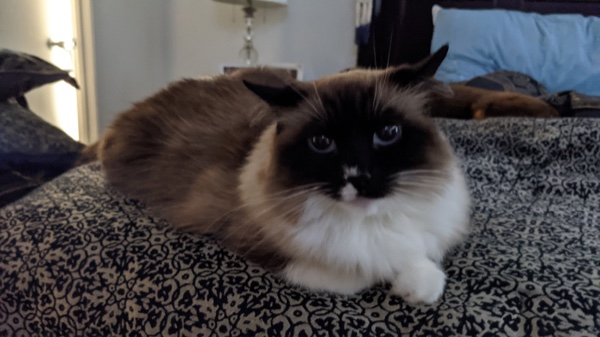
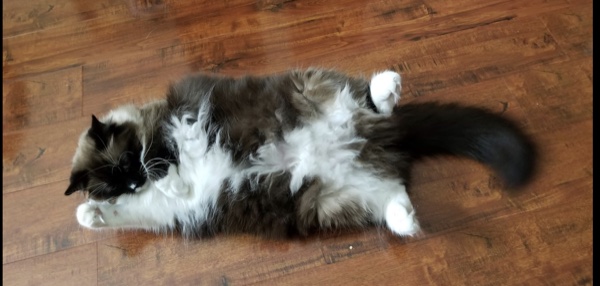
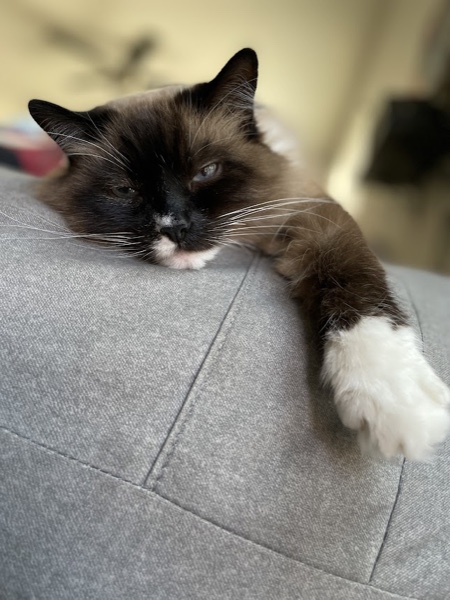
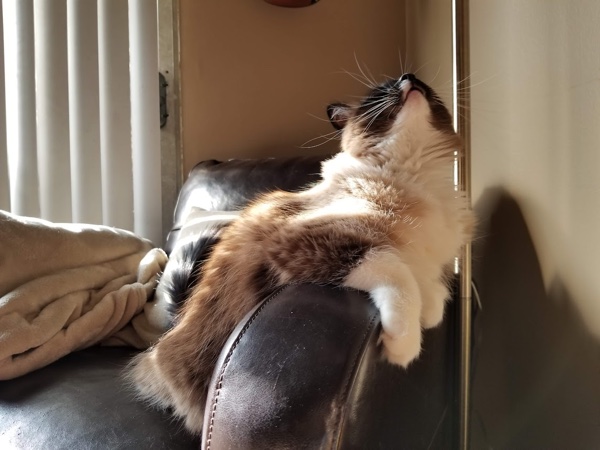
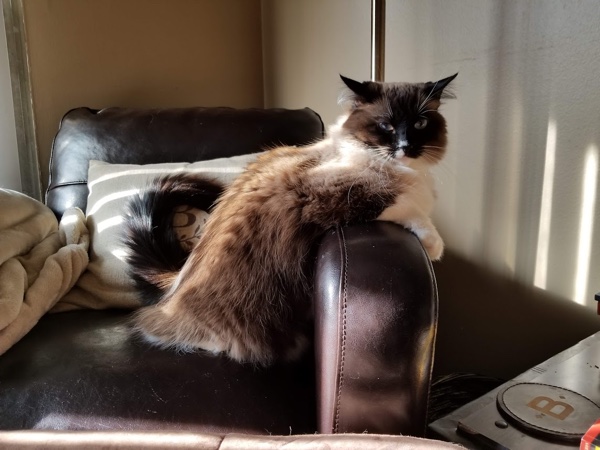
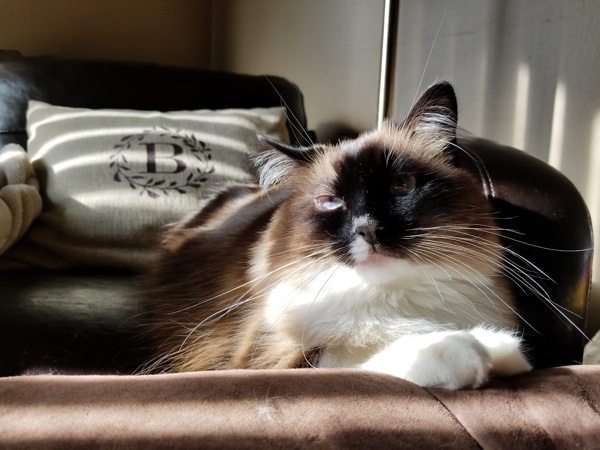
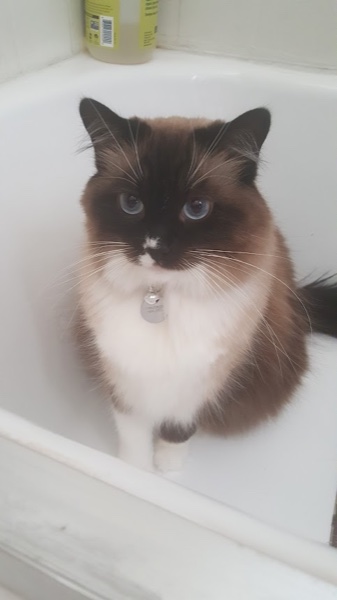
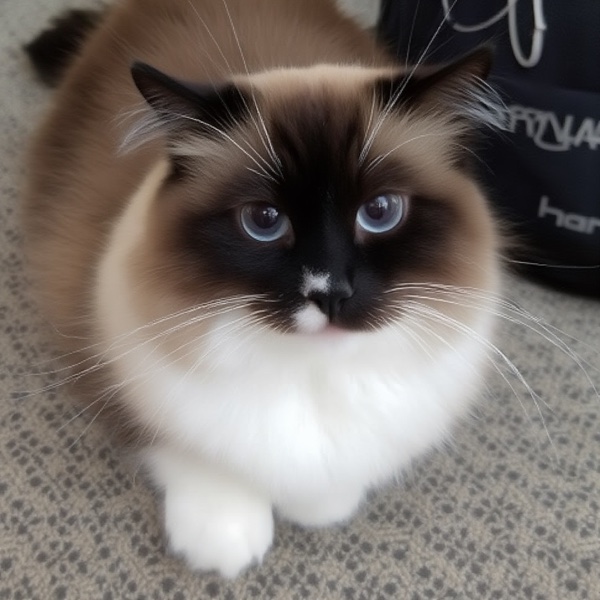
Flux LoRA trained on a curated dataset of the show's title character — a long-haired brown-and-white cat. Trigger token Prim drops her into any scene, any prompt. 12 hand-captioned reference images, 4 step checkpoints (250 / 500 / 750 / 1000), ~20 hours of GPU training on RunComfy. I use it for pre-vis, key-frame stills, and animated lipsync tests so the writers' room can see Prim long before any animator picks her up.

Flux LoRA12 captioned images4 checkpoints~20 hrs GPUI2V + AnimateDiff
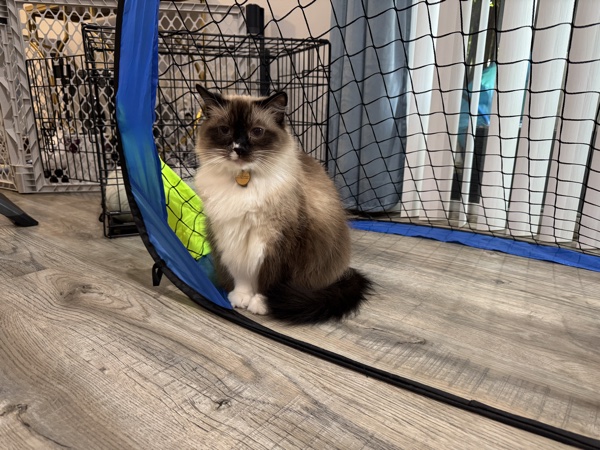
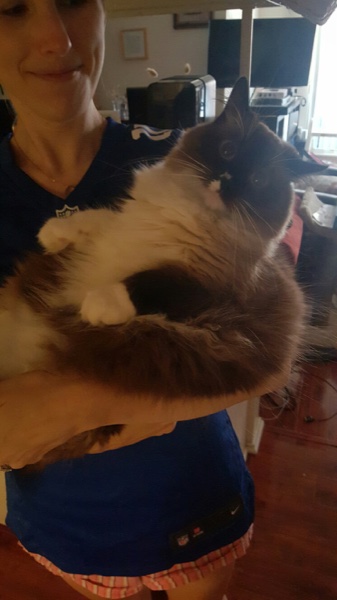
Prim training photo 1 Prim training photo 2 Prim training photo 3 Prim training photo 4 Prim training photo 5 Prim training photo 6 Prim training photo 7 Prim training photo 8 Prim training photo 9 Prim training photo 10 Prim training photo 11 Prim training photo 12

Every image.jpg ships with a matching image.txt. The caption always leads with the trigger token "Prim the cat" so the model binds the look to that phrase, then describes the rest of the frame so it doesn't bake the couch or the floor into the character. Three of the twelve, verbatim:

Prim by a soccer net
Prim_1.txt

Prim the cat, a long-haired brown-and-white cat, is sitting next to a small soccer goal net inside a room. Prim's dark brown fur covers the face, ears, and tail, with white fur on the chest and front legs. The setting is indoors on a wood floor, with some crates and furniture in the background.

Prim held by a person in a jersey
Prim_2.txt

Prim the cat, a fluffy brown and white cat, is being held by a person in a blue football jersey. The cat has a mix of brown and white fur, with darker brown patches on the face and ears. In the background, there are household appliances and electronics, giving the scene a casual, homey feel.

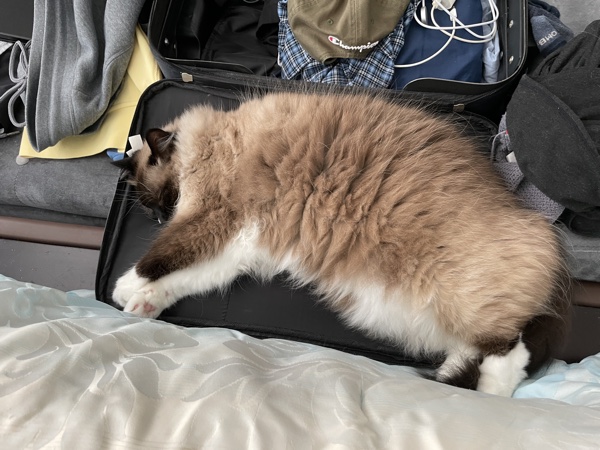
Prim sleeping in a suitcase
Prim_6.txt

Prim the cat is sleeping inside an open suitcase, nestled among clothes and belongings. Prim's brown and white fur spills over the edges of the suitcase, with Prim lying sprawled out in total relaxation. The scene conveys comfort and casual disarray.

Sample image generated during Prim LoRA training
Mid-training sample. AI-Toolkit fires a validation render every few epochs so I can watch the likeness lock in. This is the e000084 sample — the brown mask, blue eyes, and white chest are already nailed. I trained four checkpoints (step 250 / 500 / 750 / 1000) and XY-plot them against each other to pick the one that holds the character without over-baking.
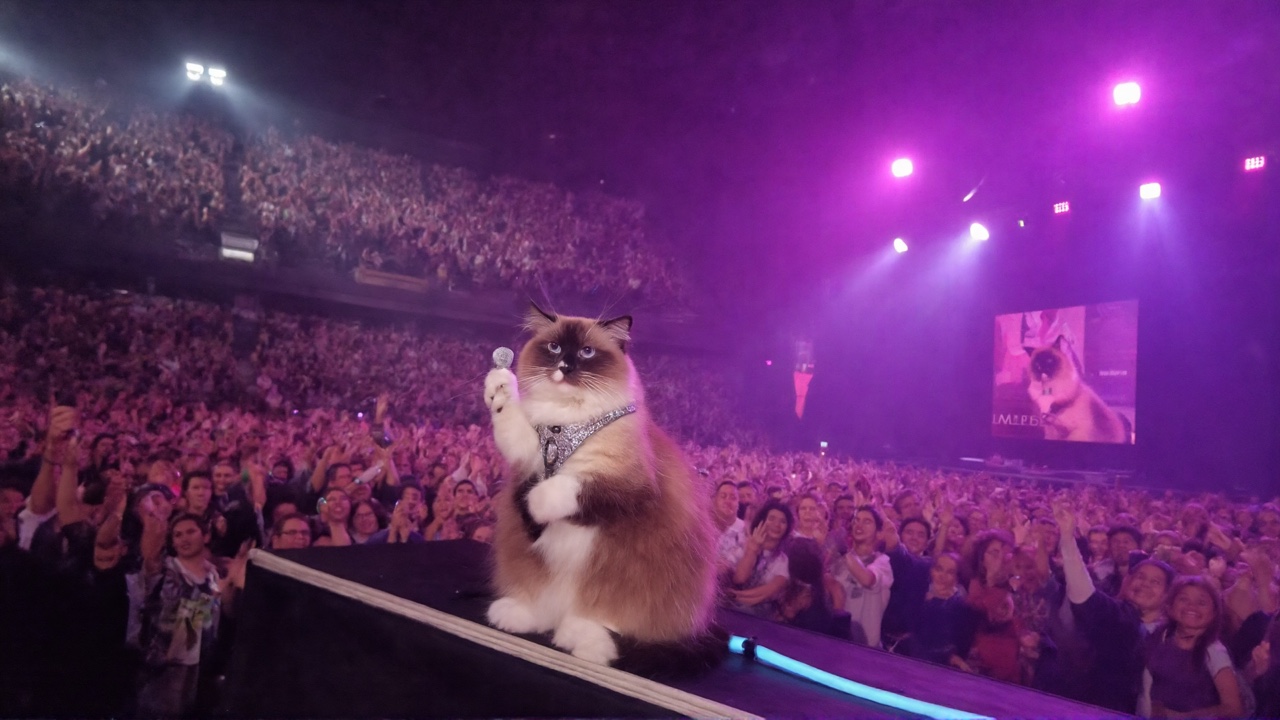
Prim performing on a concert stage

Prim the cat on stage at a sold-out arena, holding a microphone, dramatic purple concert lighting, crowd of thousands

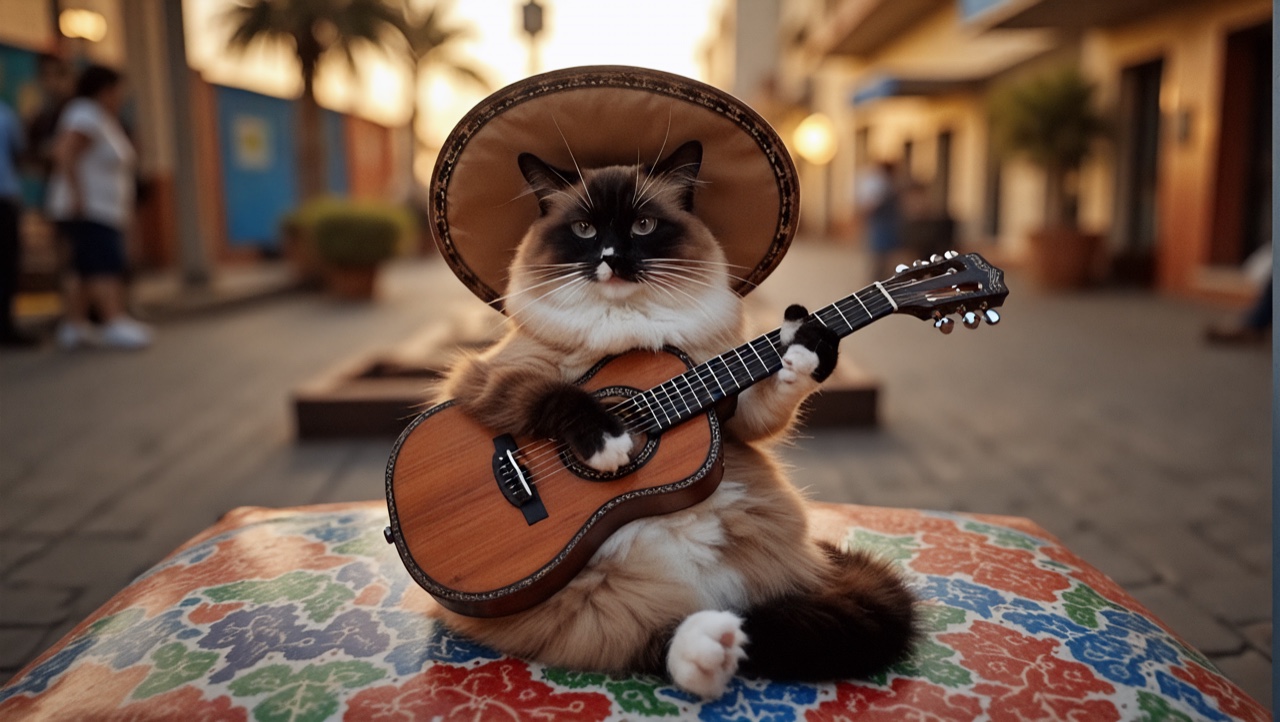
Prim playing guitar in a plaza

Prim the cat wearing a sombrero, playing an acoustic guitar on a sunlit Mexican plaza, warm golden hour

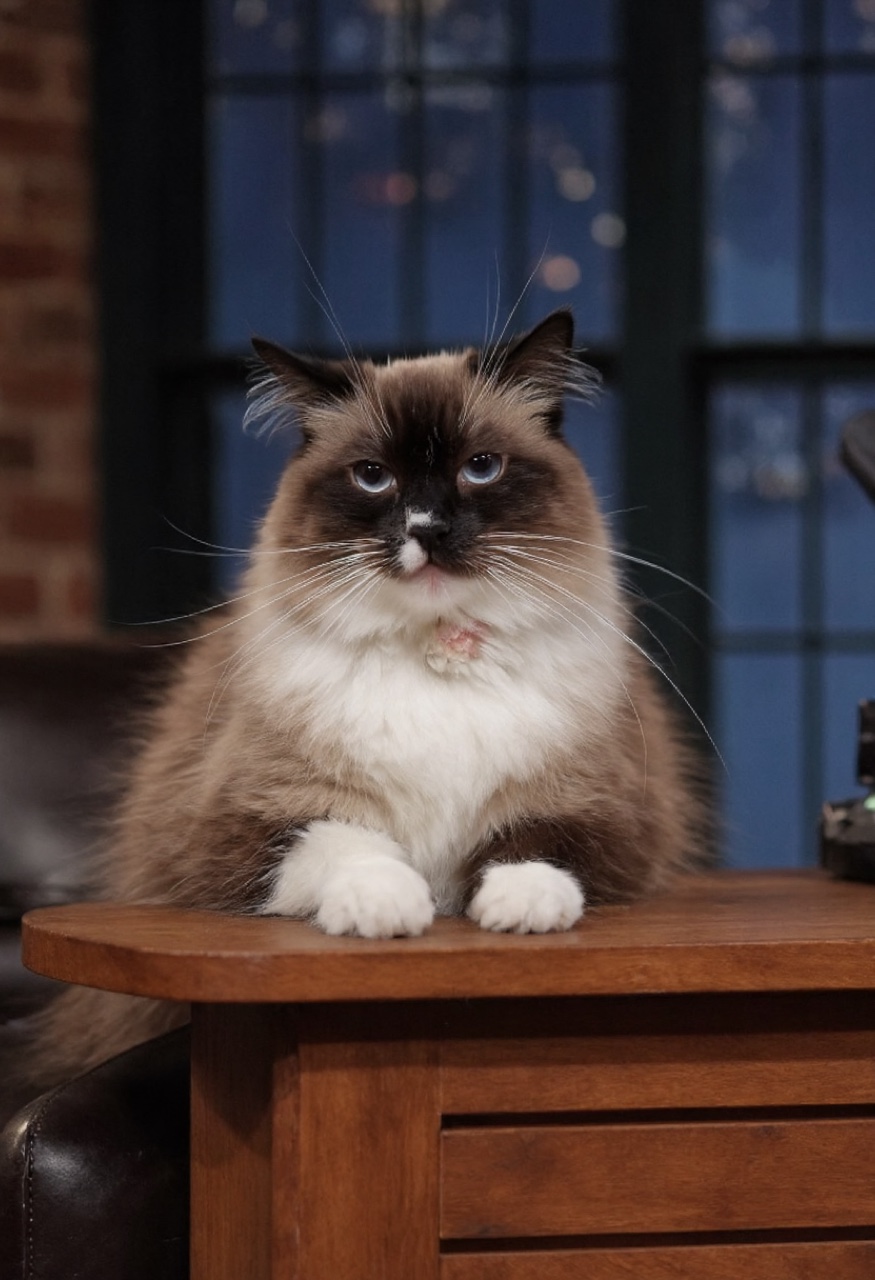
Prim at a late night talk show desk

Prim the cat sitting behind a late-night talk-show desk, New York skyline window behind, studio lighting

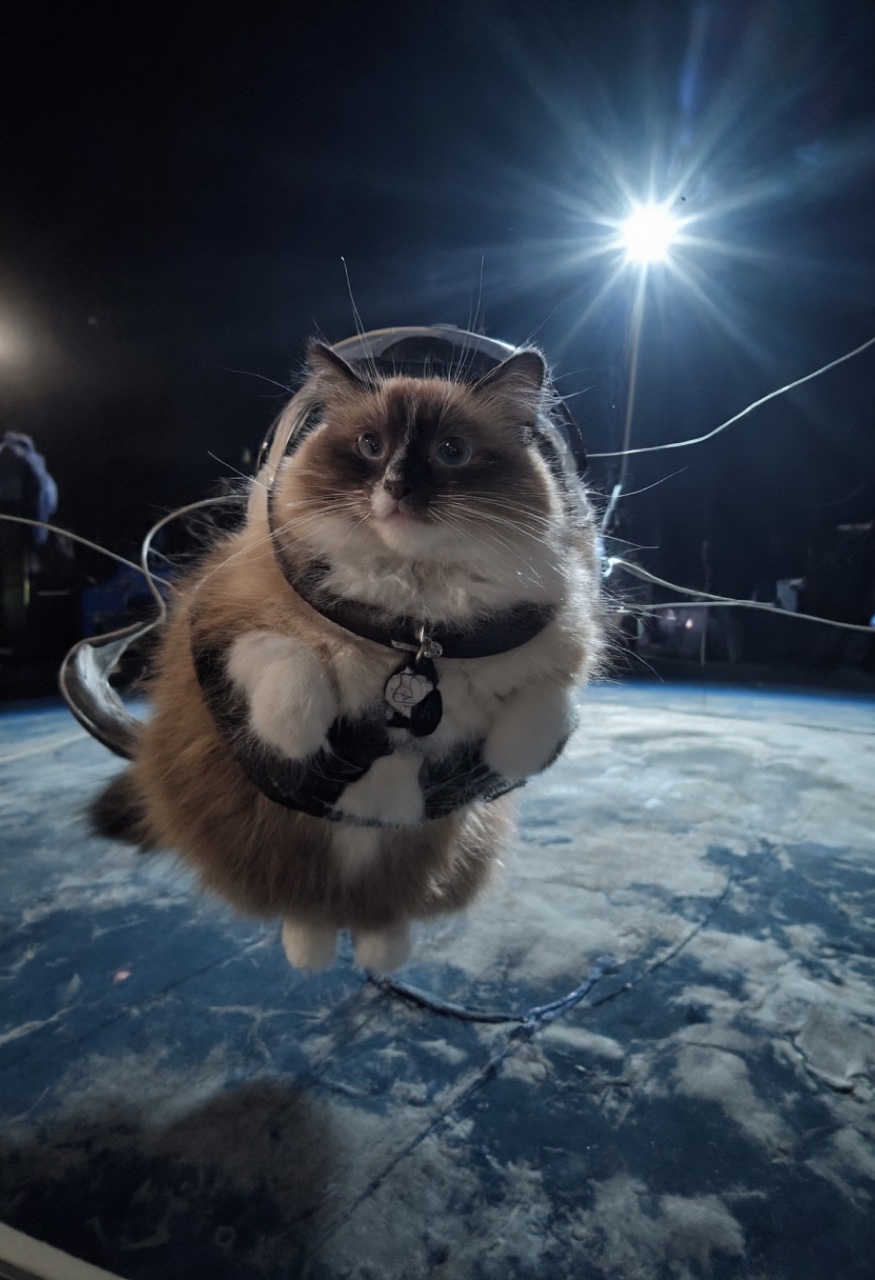
Prim floating in orbit

Prim the cat in an astronaut harness floating in orbit above Earth, hard sunlight, lens flare

Prim — Born
Prim — Born
Prim — Cocaine (Breaking Bad arc)
Breaking Bad Arc
Prim — Animated Render
Animated Variant
Prim hero still
Hero Still
Prim LoRA gallery — 12 generated outputs
12-up matrix. The same character LoRA across pose, lighting, environment, and outfit. Identity locked, prompts free.
Late Night Talk Show animation
Studio 54 — CogVideoX I2V
AnimateDiff Test 07
AnimateDiff Test 08
Early motion test

A single LoRA gives you one character. The moment a scene needs two specific trained characters in the same frame, stock Flux falls apart — both faces drift toward whichever LoRA loaded last. Hook LoRAs solve it: each character LoRA is wrapped in a Create Hook LoRA node and bound to its own Set CLIP Hooks conditioning branch with a region mask, so two trained identities hold in one render.

ComfyUI Hook LoRAs workflow — two character LoRAs composited into one image
ComfyUI workflow · 2 Hook loras_WORKFLOW.json — two Create Hook LoRA nodes feed two Set CLIP Hooks branches; each branch gets its own region-masked prompt. One sampler pass renders both trained characters on-model. I used this to stage two Something Here principals on a bench together — see it in the case study ↓
Brand LoRA

Garage Force — Floor-Coating Marketing

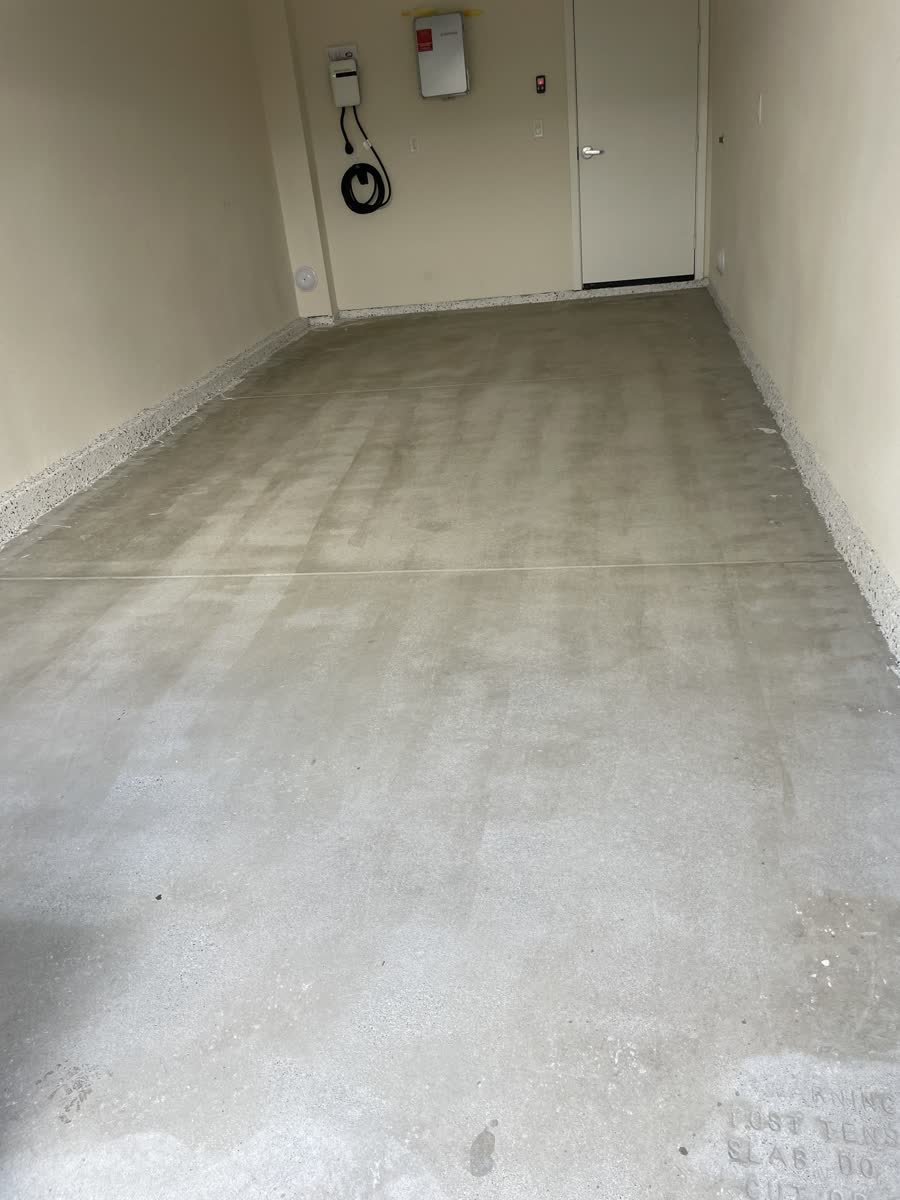
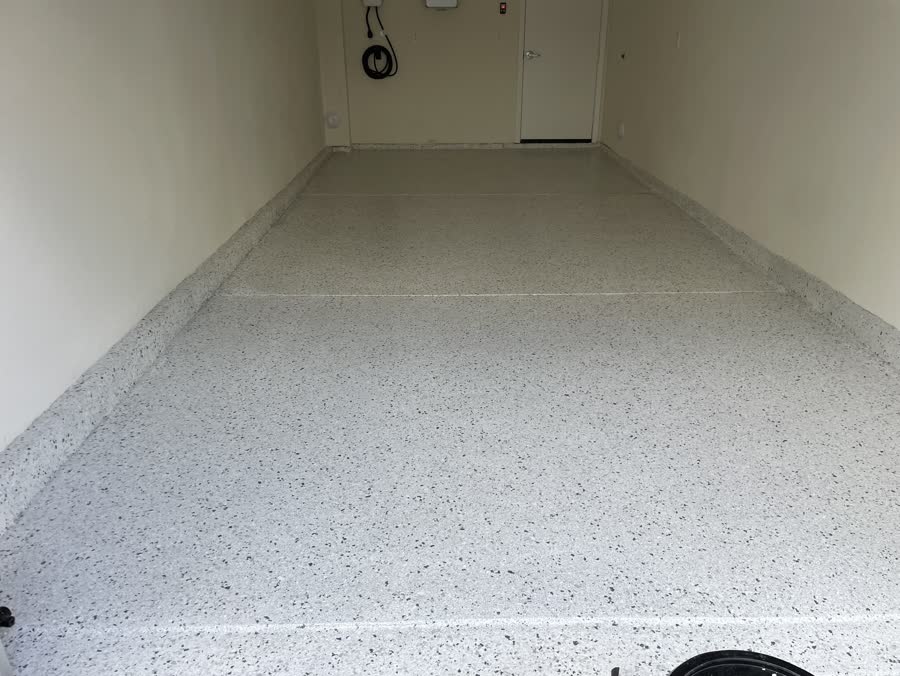
Custom LoRA trained on real-estate / garage source footage so the brand's flake-coating system can be visualized over any existing garage floor — from a single before photo. 32 hand-captioned video clips, 5 checkpoint versions (3500 / 4000 / 7500 / 7750 / v1 final), ~50 hours of A100 training via AI-Toolkit on a RunPod auto-install pipeline I scripted; Qwen3-VL evaluates every render before it reaches the client.

LTX 2.3 + Brand LoRA32 video clips5 checkpoints~50 hrs A100AI-ToolkitRunPod auto-installQwen3-VL eval
Before After
27209 Cranmore Wy — before
27209 Cranmore Wy — after
27209 Cranmore Wy
Before After
1649 Mar Vista Ave — before
1649 Mar Vista Ave — after
1649 Mar Vista Ave
Before After
3072 Glen Ave — before
3072 Glen Ave — after
3072 Glen Ave
Before After
1632 Gaywood Dr — before
1632 Gaywood Dr — after
1632 Gaywood Dr

Drag the gold sliders on any property to wipe between the before photo and the AI-rendered after. No re-shoots, no manual compositing — the LoRA hallucinates the brand's flake coating onto the existing floor geometry.

2136 Casitas Ave · 4K 60fps · 16:9
Pinehurst Garage · 4K 60fps · 16:9
3072 Glen Ave · landscape 16:9
27209 Cranmore Wy · square 1:1
1649 Mar Vista Ave · vertical 9:16
1632 Gaywood Dr · vertical 9:16
5008 Walmar Ave · vertical 9:16
136 Andrea Ln · vertical 9:16
1588 Coolidge Ave · vertical 9:16

8 of the 11 properties delivered in the May 2026 batch — mixed landscape / vertical / square aspect ratios for cross-platform marketing. Audio enabled on every clip.

How I Make Them · Pipeline

Dataset Prep & LoRA Training Pipeline

Every LoRA above starts with the same pipeline I built: ComfyUI graphs that auto-write the description text files for each training image (the image.png + image.txt pairs AI-Toolkit reads), a one-click AI-Toolkit installer for RunPod that gets a fresh pod from bare to running training UI in under three minutes, and an XY-Plot comparison graph that puts multiple LoRA candidates side-by-side on a single render so the difference between checkpoints is obvious at a glance.

ComfyUIFlorence2 / Ollama LlavaAI-ToolkitRunPod 1-clickuv resolver~200 lines bash
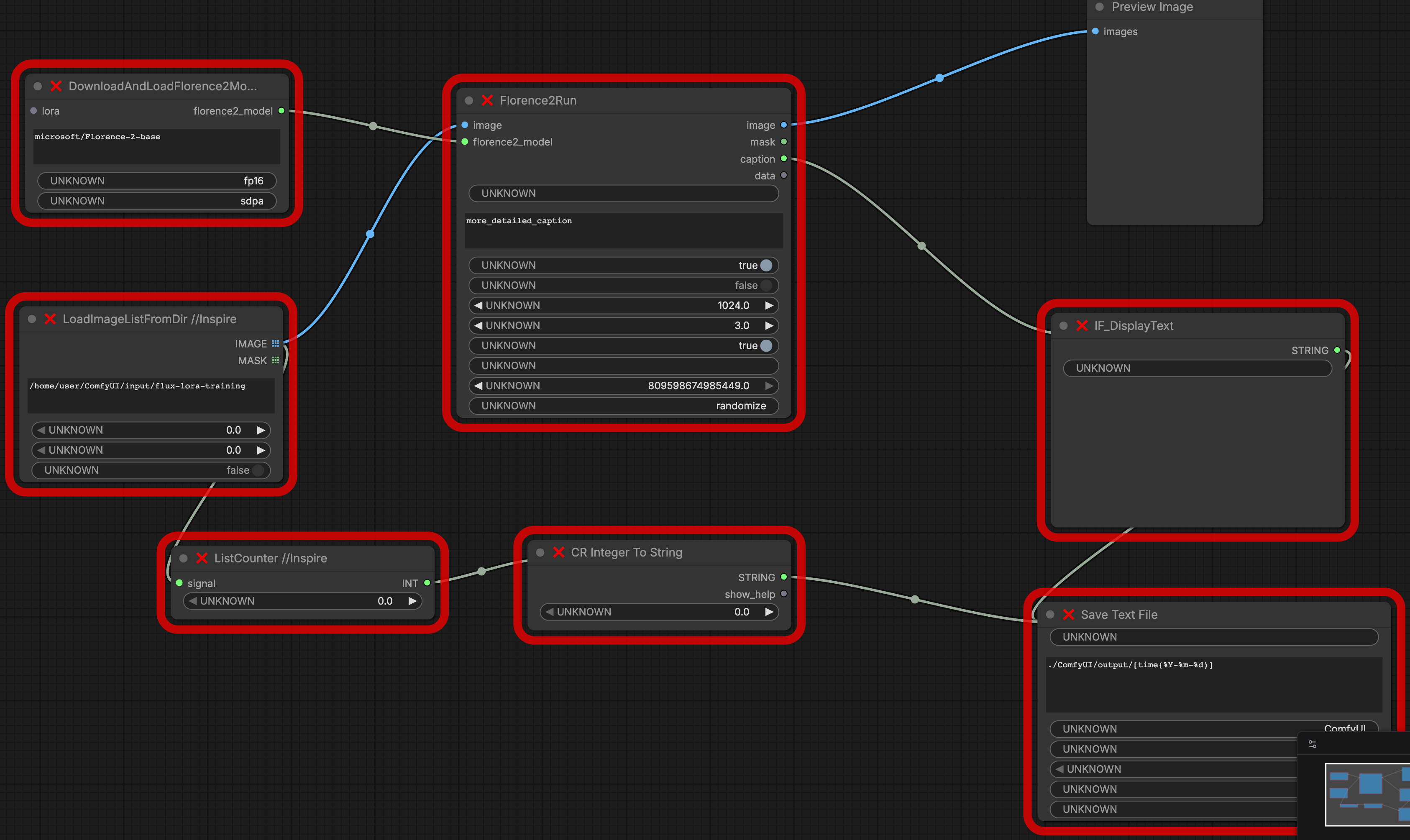
ComfyUI Florence2 dataset auto-caption workflow
Step 1a: Auto-write caption .txt files with Florence2 · prep_LoRA_img_dataset_Florence2-workflow.json — AI-Toolkit needs an image.txt next to every image.png describing what's in the frame. This graph walks a directory, runs Florence2 on each image, and writes the description out as a sibling .txt file. The Prim and SH-SAM datasets were captioned by this exact graph.
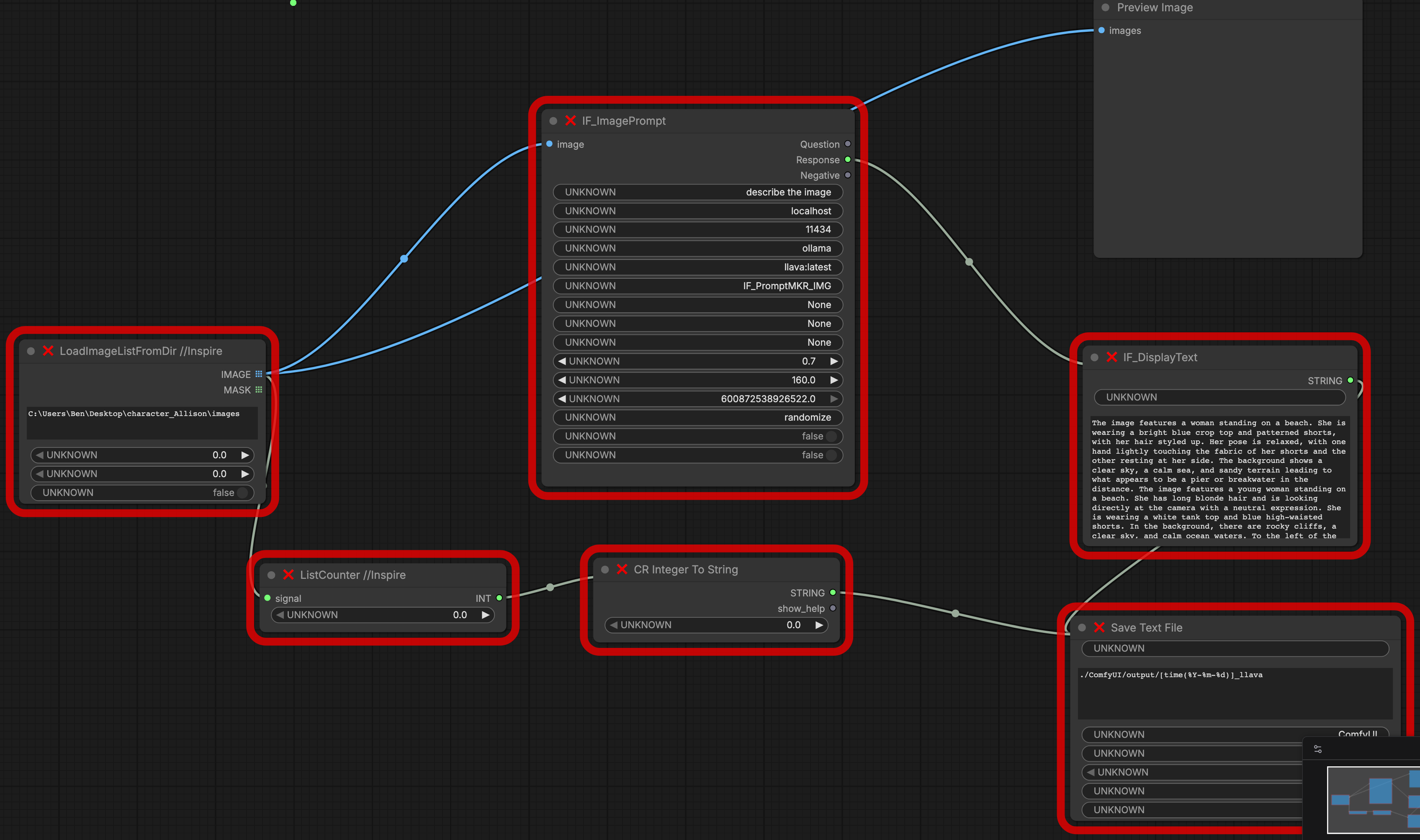
ComfyUI Ollama Llava dataset auto-caption workflow
Step 1b: Same job, different VLM — Ollama Llava · prep_LoRA_img_datase-Ollama_Llava-workflow.json — same input/output (directory of images → sibling .txt caption files), but routes the images through a local Ollama llava model via the IF_ImagePrompt node. I switch to this one when Florence2's captions come out too terse and I need richer, more directable language.

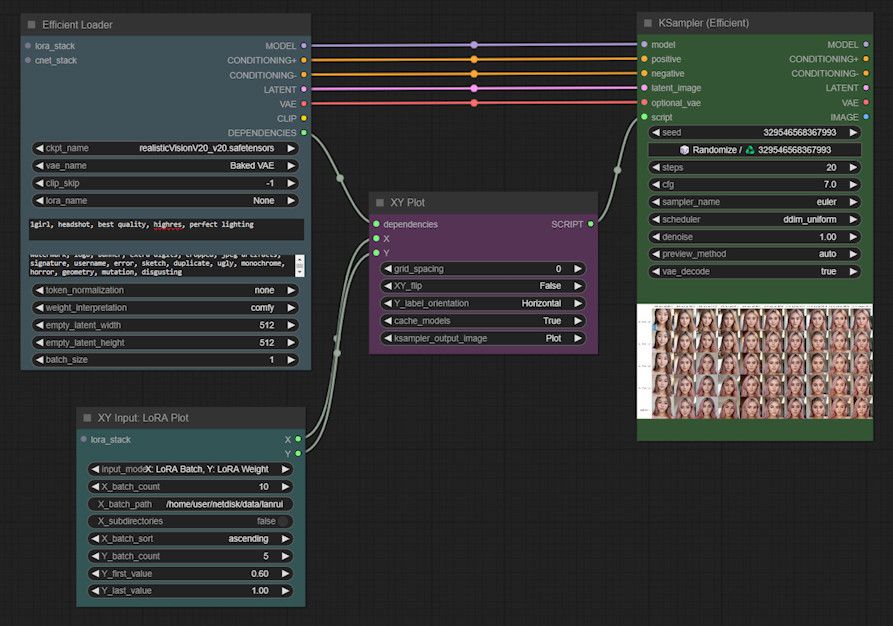
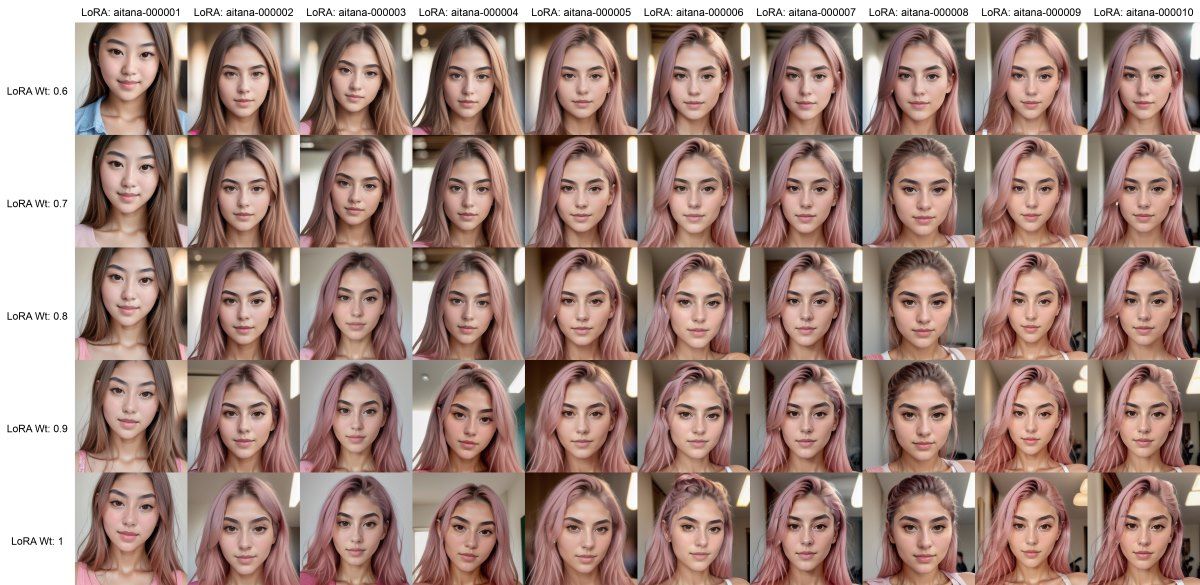
Step 3: Compare multiple LoRAs on one render — Flux XY-Plot LoRA Testing · FLUX_XY-PLOT_LORA_TESTING.json — pick every LoRA checkpoint I want to evaluate (different characters, different step counts, different brand variants), pin one prompt, and the graph renders them all into a single grid image so the differences are obvious side-by-side instead of buried in a folder of separate outputs. This is how I pick the winning checkpoint before delivery.

ComfyUI XY Plot node setup — Efficient Loader, XY Plot, XY Input LoRA Plot, KSampler
Node graph. Four-node core: Efficient Loader feeds an XY Plot node, XY Input : LoRA Plot drives the X-axis with a batch of LoRAs and the Y-axis with a weight range (0.6–1.0 here), KSampler renders the grid in one pass.
Output grid: 10 LoRAs across X-axis, 5 weights down Y-axis, showing how each LoRA affects the same prompt
Grid output. 10 LoRA checkpoints across, 5 weight values down (0.6, 0.7, 0.8, 0.9, 1.0). Same prompt, same seed — every cell is a controlled comparison.

Example images: MyAIForce — Mastering LoRA Testing in ComfyUI (used to illustrate the technique; my FLUX_XY-PLOT_LORA_TESTING.json applies the same idea to Flux with the GGUF / FP8 model paths).

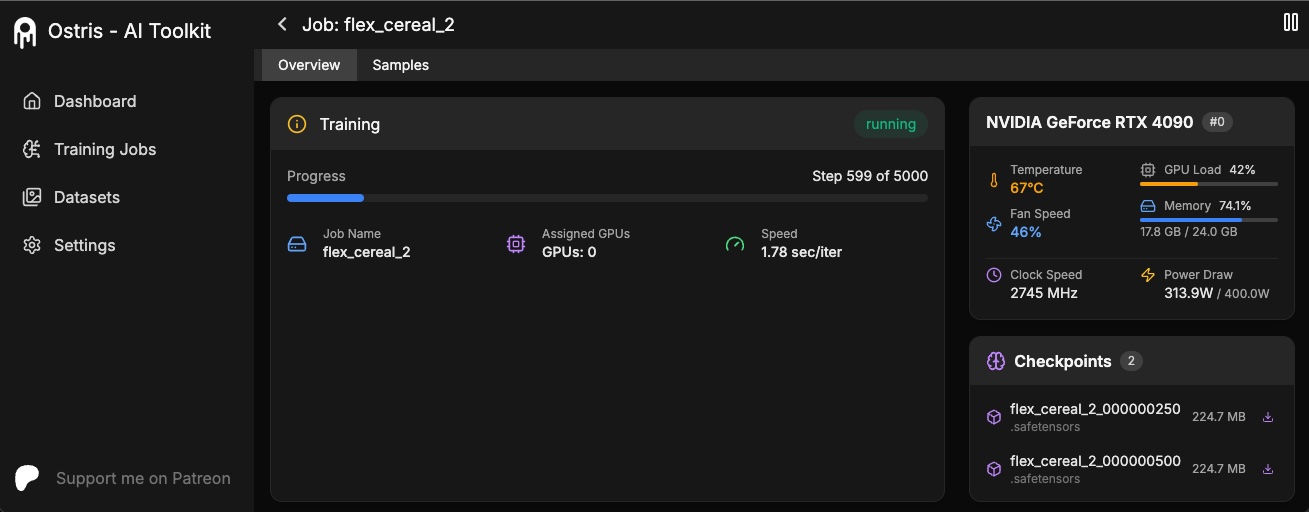
Step 2a: What you get — AI-Toolkit web UI Screenshot: Ostris
Ostris AI-Toolkit web UI showing a running training job, GPU stats, and checkpoint list

The actual Toolkit interface — a Next.js dashboard at http://<pod>:8675 showing live training progress, GPU telemetry, dataset management, and checkpoint downloads. AI-Toolkit by Ostris; my contribution is the install pipeline below.

Step 2b: How I get there — 1-Click RunPod installer AI-TOOLKIT_AUTO_INSTALL-RUNPOD.sh
#!/usr/bin/env bash
# AI-Toolkit 1-Click Install or Restart for RunPod V2

# Fast path: existing install → start the UI and exit
if [[ -d "$REPO_DIR" && -f "$REPO_DIR/venv/bin/activate" ]]; then
  source "$REPO_DIR/venv/bin/activate"
  source "$NVM_DIR/nvm.sh"; nvm use 22
  cd "$REPO_DIR/ui" && npm run start
  exit 0
fi

# 0. GPU detection → right Torch wheel (Blackwell sm_120 vs older)
echo "Which GPU is this pod running?"
echo "  [1] RTX-5000-series (Blackwell, sm_120) or newer"
echo "  [2] Anything older (Ada, Hopper, Ampere, etc.)"
read -rp "Enter 1 or 2: " GPU_CHOICE
case "$GPU_CHOICE" in
  1) CUDA_STREAM="cu128" ;;
  2) CUDA_STREAM="cu126" ;;
esac

# 1. System packages, 2. shallow git clone w/ retry,
# 3. venv + Torch (right CUDA stream), 4. uv pip install
#    with pip+constraints fallback if uv fails,
# 5. nvm + Node 22, 6. npm build + start UI

# Total time: fresh pod → UI live in <3 minutes

~200-line bash script that turns a bare RunPod GPU pod into a running AI-Toolkit training UI in under three minutes. Handles re-launch, GPU detection, dependency resolution failure modes — production-grade install.

The Stack

Every model and tool behind the work on this page. Hover a tile for what it does — click through to its GitHub, Hugging Face, or home page.

FXImage Model

Flux.1 Dev

Base text-to-image diffusion model — every still and I2V seed starts here.

Hugging Face
FX2Image Model

Flux.2 Dev

Latest Black Forest Labs base model — sharper detail and multi-image editing.

Hugging Face
KLNImage Model

Flux.2 Klein

Lighter 9B Flux.2 variant — fast iteration that fits a single 4090.

Hugging Face
SDRImage Model

Seedream

ByteDance high-aesthetic text-to-image model — strong spatial sense and consistency.

Website
WANVideo Model

Wan 2.1 / 2.2

Video generation + VACE V2V and Animate for ControlNet re-styling.

GitHub
LTXVideo Model

LTX-Video 2.3

Fast video gen with IC-LoRA inpaint and edit-anything passes.

GitHub
SDCVideo Model

Seedance

ByteDance text / image-to-video model for cinematic motion.

Website
KLGVideo Model

Kling

Kuaishou video model — strong physical motion and long-shot consistency.

Website
PWFlux Finetune

Pixelwave

Flux Dev finetune I run as the photoreal 4K/8K upscale pass.

Hugging Face
QIEImage Edit

Qwen Image Edit 2511 / 2512

Instruction image editing — multi-angle and pose edits with strong identity hold.

Hugging Face
FRImage Edit

FireRed Image Edit 1.1

Multi-element fusion + identity-consistent editing for composites.

Hugging Face
NBImage Edit

Nano Banana

Google Gemini image gen + edit — fast, with strong prompt adherence.

Website
ADFMotion Module

AnimateDiff

Motion module driving the audio-reactive visualizer work.

GitHub
CUIRuntime

ComfyUI

Node-based runtime every workflow on this site runs in.

GitHub
ROIAudio-Reactive Nodes

RyanOnTheInside

Flex Features node pack — audio / MIDI / motion drive the visuals, behind the Tame Impala visualizer.

GitHub
ATKLoRA Trainer

AI-Toolkit

Ostris's LoRA / finetune trainer — my 1-click RunPod install.

GitHub
OLMLocal Runtime

Ollama

Local model runner hosting the captioner and eval models.

GitHub
Q3Vision-Language

Qwen3-VL

VLM that auto-scores every render against the brief.

GitHub
SAMSegmentation

SAM 3.1

Meta Segment Anything 3.1 — promptable masks for inpaint, control, and isolation.

Hugging Face
RPGPU Cloud

RunPod

GPU cloud — where the pods, training, and renders live.

Website
11LVoice / TTS

ElevenLabs

Voice cloning + TTS for the character voice models.

Website

Tooling I Built

I don't just use AI tools — I build the pipelines that make them shippable.

RunPod ComfyUI Launcher

Mac .app that handles SSH tunneling, preflight cleanup, watchdog auto-restart of ComfyUI, and RunPod API integration. One click, pod-ready.

PythonSwiftUIRunPod API

Garage Force LoRA

Multi-checkpoint LoRA trained on a specific brand's source footage for consistent product renders. Custom AI-Toolkit auto-install pipeline on RunPod.

AI-ToolkitLoRALTX 2.3

Qwen3-VL Auto-Eval

Every render auto-evaluated via a pod-hosted Ollama tunnel — vision-language model scores output against the brief before it ever hits a client.

Qwen3-VLOllamaQA

Wan 2.1 VACE Pipeline

Custom ComfyUI graphs for VACE V2V with mask + control-net + face-refiner, plus benji's unlimited-length extension stitched in for shots that need to run past the model's native window.

Wan 2.1VACEComfyUILong Video

Film & TV Credits

17 years in Editorial — IATSE Local 700.

About

I'm Mike Boord — a film and television editor with 17 years in the post-production industry, and a proud member of both the IATSE Local 700 Editors Guild and the Directors Guild of America (DGA). I've spent those years in the cutting rooms of network TV, streaming dramas, and feature films — from Ozark and The Sympathizer to Black Bird and Vida.

Alongside the editorial bench I've built a second craft: AI filmmaking. I design and run production-grade generative-video pipelines — character and brand LoRA training, ControlNet video-to-video re-styling, and long-form generation that runs well past the models' native limits — turning control inputs and prompts into finished, deliverable footage for music videos, commercials, brand spots, and live-stage backdrops. Story first, technology second; AI is just the newest tool on the bench.

IATSE Local 700 Editors Guild  ·  Directors Guild of America
Contact

For editorial bookings, AI video work, or pipeline consulting: